In-app Setup Guide
Whautomate has a built-in setup guide that lists everything to set up, starts with the modules you picked and ticks steps off as you go. It follows the same order as Getting Started.
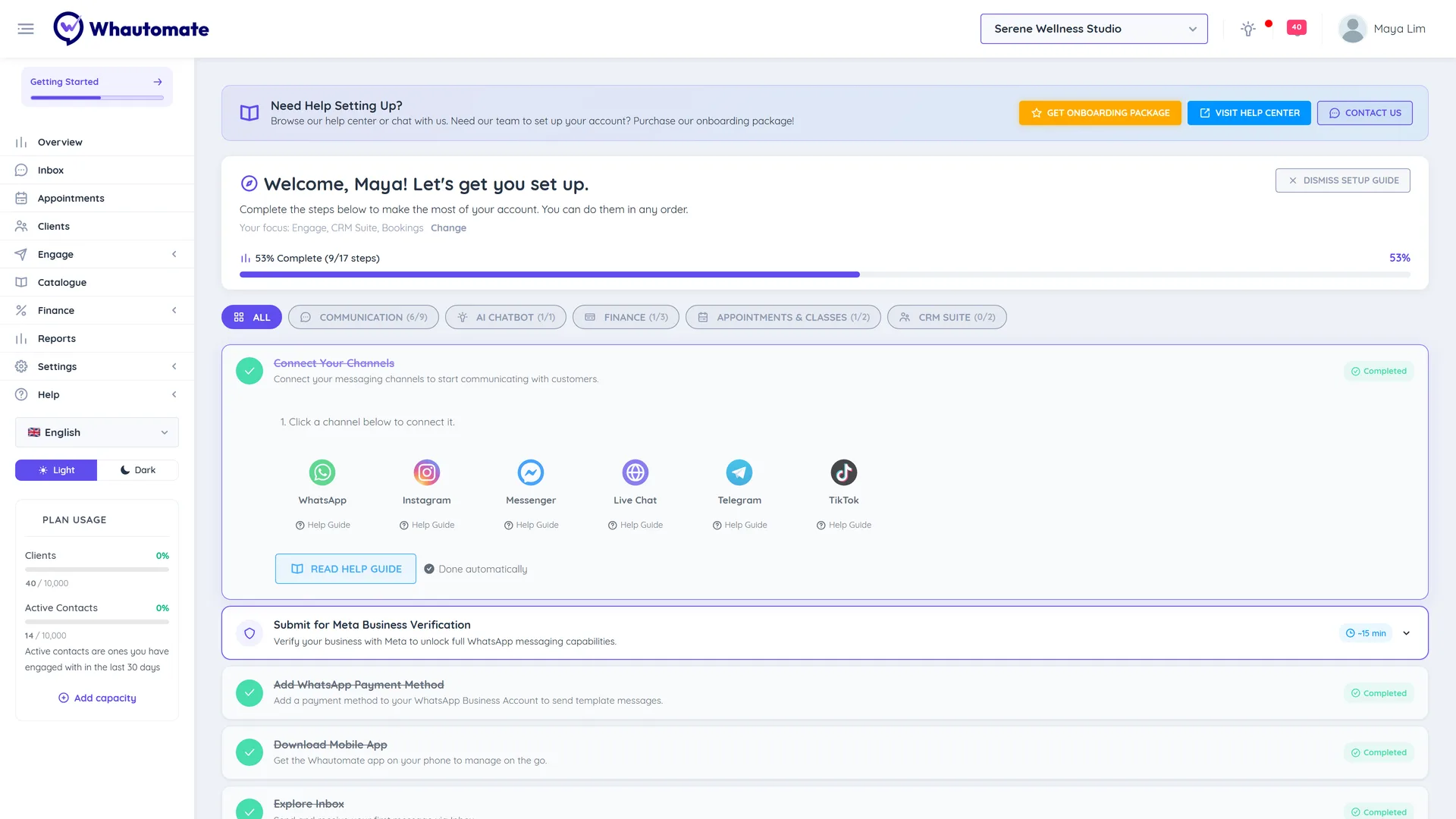
Open the setup guide
In the sidebar, go to Help > Getting Started. New accounts land here after sign-up.
Use the setup guide
- The header shows Setup Progress, for example 60% Complete (6/10 steps).
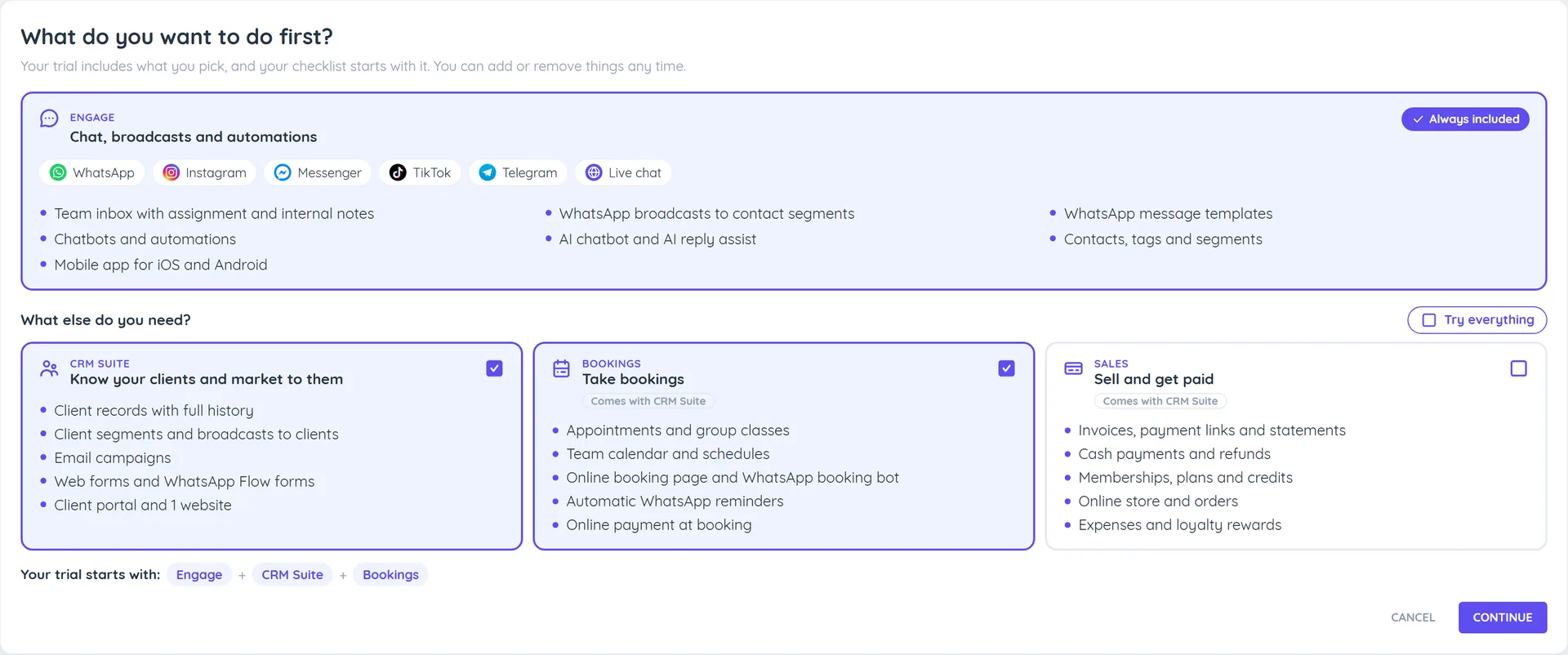
- Your focus lists the modules you picked when you signed up, and their steps come first. Click Change to pick different ones. Steps for modules you did not pick are listed under Explore more.
- Filter the steps by All, Communication, AI Chatbot, Finance, Appointments & Classes or CRM Suite.
- Open a step to see what to do, how long it takes, and Read Help Guide or Watch Tutorial links.
- Steps Whautomate can detect, such as connecting a channel or sending a broadcast, show Done automatically. For the others, click Mark as Done when you finish (or Undo).
The steps
| Step | Filter | Guide |
|---|---|---|
| Connect Your Channels | Communication | Connect a Communication Channel |
| Submit for Meta Business Verification | Communication | Meta Business Verification |
| Add WhatsApp Payment Method | Communication | WhatsApp Payment Method |
| Download Mobile App | Communication | Mobile Team Inbox App |
| Explore Inbox | Communication | Team Inbox |
| Configure Email Sending | Communication | Email Domains |
| Send Broadcast | Communication | Segmentation & Broadcasts |
| Setup Chatbot | Communication | Chatbot demos |
| Invite Team Members | Communication | Team members |
| Setup AI Chatbot | AI Chatbot | WhatsApp AI Chatbot |
| Connect Payment Gateway | Finance | Setup Payment Gateway |
| Update Business Settings | Finance | Update Business Settings |
| Create Invoice | Finance | Invoice & Payments |
| Book Appointment | Appointments & Classes | Book Appointments - Admin |
| Set Up Online Booking Page | Appointments & Classes | Setup the Booking Portal |
| Import your clients | CRM Suite | Bulk Import Clients |
| Create a form | CRM Suite | Web Forms |
In Connect Your Channels, clicking WhatsApp opens the WhatsApp page, where Connect with Facebook opens Meta's signup window straight away. If a signup was left half way, that page shows Finish setup instead.
Steps for a module you did not pick, or that your plan does not include, are never hidden: they move under Explore more. Email sending, client import and forms belong to CRM Suite, finance steps to Sales, and booking steps to Bookings.
Setup progress on every page
While setup is not finished:
- Getting Started sits at the top of the sidebar with a progress bar. Click it to open the setup guide.
- A Getting Started card shows at the bottom left of the other pages: how many steps are complete, and every step with an arrow that takes you straight to the right screen. It opens by itself the first time; close it and it stays as a round progress button you can click to open it again. Click View all steps for the full guide, or Dismiss to hide the card.
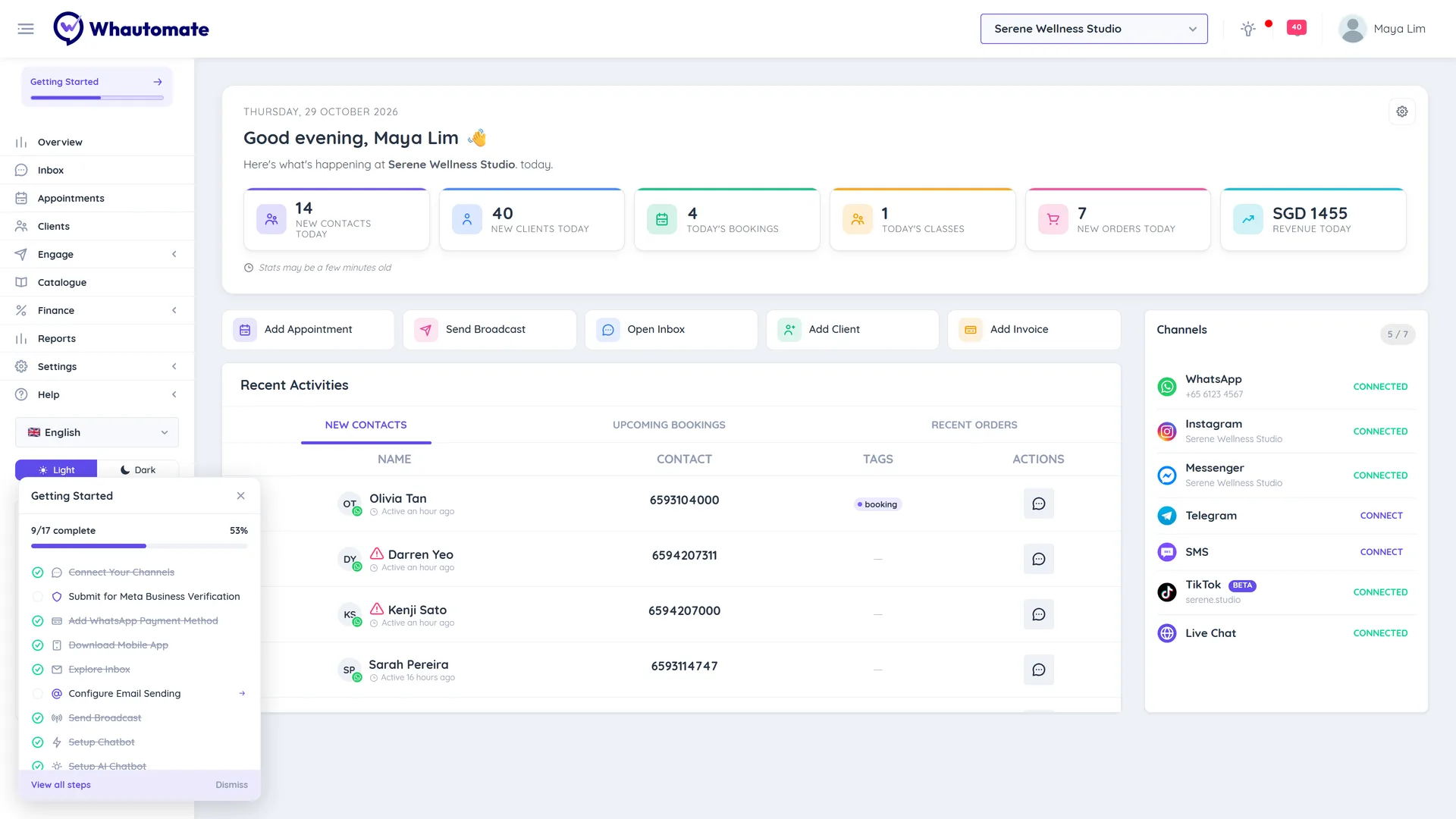
Hide the setup guide
When you no longer need it, click Dismiss Setup Guide. You can open it again from Help > Getting Started.
The setup guide has a Get Onboarding Package button if you would like our team to set up your account. You can also click Contact Us to talk to support.