Choose Your Plan
Every Whautomate plan is made of two choices: an edition (what you can do) and a size (how many people use it). This page explains both, so you can pick the plan that fits your business.
Prices depend on your country. See the current prices for your region on our pricing page.
Editions: Engage or Complete
| Edition | What you get |
|---|---|
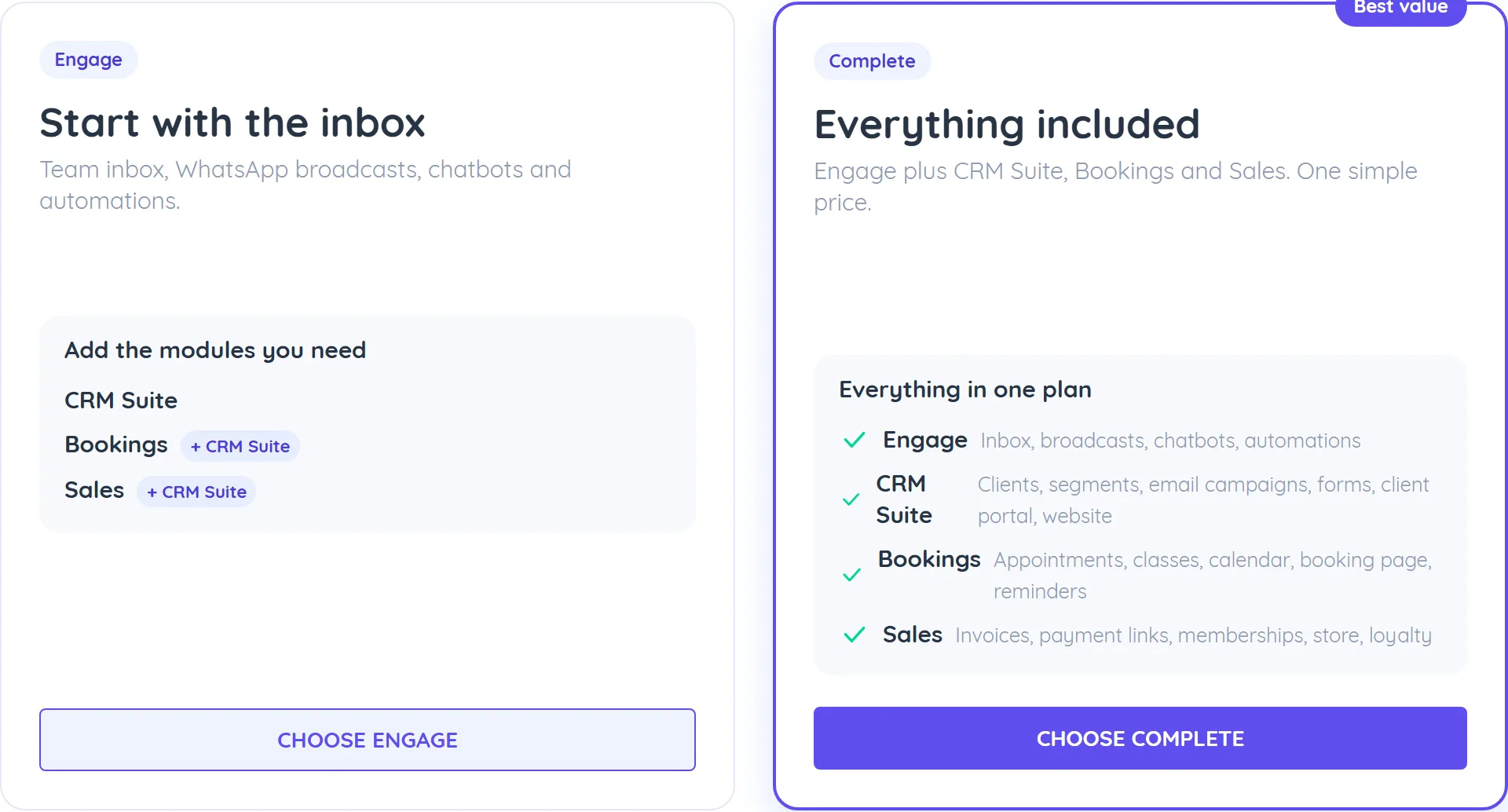
| Engage | The base plan: team inbox, WhatsApp broadcasts, chatbots and automations. You can add CRM Suite, Bookings or Sales at any time. |
| Complete | Everything included: Engage plus CRM Suite, Bookings and Sales in one plan. |
On Engage you pay only for the modules you add. Complete includes every module, and it usually costs less than Engage plus any two modules.
Sizes: Plus, Scale or Supreme
Both editions come in three sizes. The size sets how many users (team member logins) your plan includes, and how many active contacts and template messages you get.
| Size | Users included |
|---|---|
| Plus | 3 |
| Scale | 10 |
| Supreme | 25 |
When you choose a plan in the app, each size shows its number of active contacts and users. Active contacts are the ones you have engaged with in the last 30 days. At the limit, people already in conversation with you carry on as normal, while new conversations are locked and get no automated replies until you upgrade or slots free up. See Active contact limit.
Need more than your size includes? You can add extra users, locations, websites, active contacts and template messages. See Whautomate Add-ons.
What each part includes
| Part | What it includes |
|---|---|
| Engage (in every plan) | Team inbox for WhatsApp, Instagram, Messenger, TikTok, Telegram, live chat and SMS, with assignment and internal notes. Mobile app for iOS and Android. WhatsApp broadcasts to contact segments. WhatsApp message templates. Chatbots and automations. AI chatbot and AI reply assist. Contacts, tags and segments. Live chat widget. |
| CRM Suite | Client records with full history, notes and custom fields. Client segments and broadcasts to clients. Email broadcasts and campaigns. Web forms and WhatsApp Flow forms. Client portal. One website (Sites). |
| Bookings | Appointments and group classes. Team calendar and schedules. Online booking page and WhatsApp booking bot. Automatic reminders and confirmations. Online payment when clients book. |
| Sales | Invoices, payment links, payments and statements. Cash payments and refunds. Online store and orders. Memberships, plans and session credits. Expenses, loyalty rewards and inventory. Shopify and WooCommerce automations. |
A few features open with more than one module:
- Catalogue and Payments open with Bookings or Sales.
- Payout settings, taxes and coupons are available with Bookings or Sales.
- Paid forms (forms that collect a payment) need both CRM Suite and Sales.
For more detail on what opens and what stays locked, see Plan Modules.
Bookings and Sales work with your client list, and the client list is part of CRM Suite. So when you add Bookings or Sales to Engage, CRM Suite is added with it.
Which plan is right for me?
Start from what you want to do:
| You want to | Choose |
|---|---|
| Chat with customers, send WhatsApp broadcasts and run chatbots | Engage |
| Also keep client records, run email campaigns and use forms | Engage + CRM Suite |
| Also take appointments and class bookings | Engage + Bookings (CRM Suite is added with it) |
| Also send invoices, sell memberships or run an online store | Engage + Sales (CRM Suite is added with it) |
| Do two or more of the above | Complete |
If you need two or more modules, compare Complete first: it usually costs less than adding the modules one by one, and you never have to think about what is included.
For the size, count the people who will log in to Whautomate. Pick the smallest size that covers your team today; you can move to a bigger size, or add extra users, at any time.
Free trial
New accounts start with a 7-day free trial. At signup you are asked what you want to do first, and your trial includes what you pick there. If you skip that question, your trial includes every module.
During the trial you can try any other module for free: open it from Try more in the sidebar and add it to your trial. Before the trial ends, choose a plan for what you want to keep. See Plan Modules and Upgrade Subscription.
Already a customer on an older plan?
If you subscribed before Engage and Complete were introduced, you keep every module (your plan shows as Complete), and your current price stays locked while your subscription stays active.
You can move to Engage yourself if you only need the inbox, broadcasts and automations. When you choose a new plan, you move to the current prices. If you have been using bookings or invoices, the app warns you before you switch that those features will lock. Your data is kept, and you can add them back any time.
Next steps
- Upgrade Subscription: choose or change your plan.
- Whautomate Add-ons: add users, locations, contacts and more.
- Plan Modules: what each module unlocks.
- Pricing page: current prices for your country.