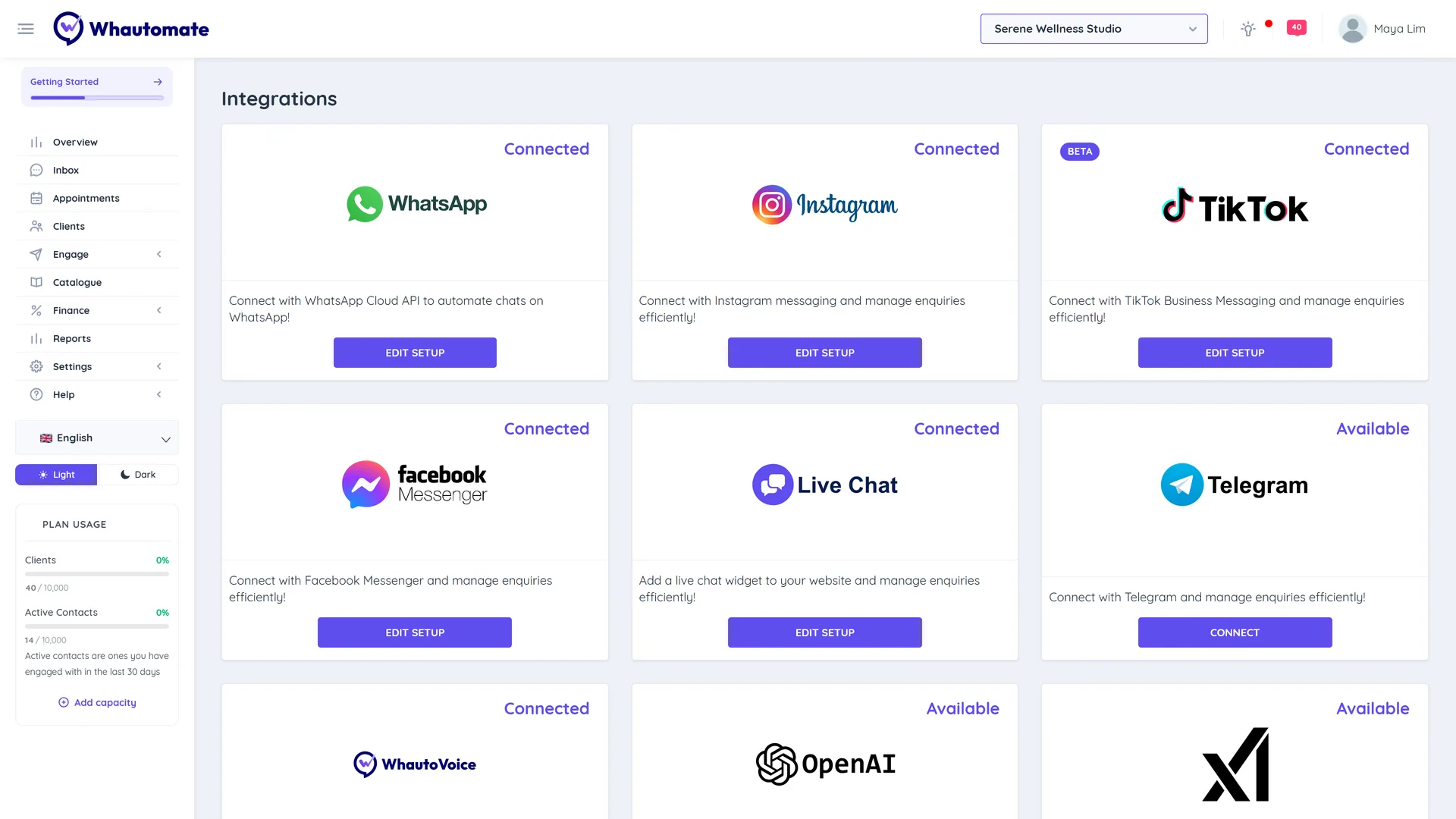
# Integrations

- [WhatsApp Cloud API](/product-guides/integrations/whatsapp-cloud-api.md): Connect with WhatsApp Cloud API to automate chat on WhatsApp! It is very helpful for your business to have whatsApp cloud API connection
- [WhatsApp Payment Method](/product-guides/integrations/whatsapp-cloud-api/whatsapp-payment-method.md): How to update the payment method for your WhatsApp Business Account that is connected to Whautomate.
- [Meta Business Verification](/product-guides/integrations/whatsapp-cloud-api/meta-business-verification.md): Complete the Meta Business Verification process efficiently. Provide your business details, upload the required documents, and confirm your contact information to verify your business.
- [WhatsApp Profile](/product-guides/integrations/whatsapp-cloud-api/whatsapp-profile.md): Instructions to update your WhatsApp profile within Whautomate including your profile picture, about, website and contact details.
- [WhatsApp Compliance Info](/product-guides/integrations/whatsapp-cloud-api/whatsapp-compliance-info.md): WhatsApp Compliance Info is applicable and Mandatory for businesses in India that sells products or service on WhatsApp!
- [WhatsApp Commerce Settings](/product-guides/integrations/whatsapp-cloud-api/whatsapp-commerce-settings.md): This guide goes through steps to update commerce settings including Carts and Catalog default visibility and importing of products into Whautomate from Meta Catalogue.
- [WhatsApp Message Templates](/product-guides/integrations/whatsapp-cloud-api/whatsapp-message-templates.md): WhatsApp Message Templates provide a standardized and approved way for businesses to engage with their customers on WhatsApp, offering a structured and efficient means of communication.
- [Linking WhatsApp Number (WABA) to Your Facebook Page](/product-guides/integrations/whatsapp-cloud-api/linking-whatsapp-number-waba-to-your-facebook-page.md): To run Click-to-WhatsApp ads, businesses must link their WhatsApp Business API (WABA) number to their Facebook Page.
- [How to Add WhatsApp Button to Your Instagram Account](/product-guides/integrations/whatsapp-cloud-api/how-to-add-whatsapp-button-to-your-instagram-account.md): Learn step-by-step how to add a WhatsApp button to your Instagram page, making it easy for followers to message you directly. Perfect for boosting engagement and customer support!
- [Setup Click-to-WhatsApp Ads (CTWA)](/product-guides/integrations/whatsapp-cloud-api/setup-click-to-whatsapp-ads-ctwa.md): Learn how Click-to-WhatsApp ads can help businesses reach wider audiences, generate leads, drive sales, and build customer loyalty.
- [How to Change Your WhatsApp Business Display Name](/product-guides/integrations/whatsapp-cloud-api/how-to-change-your-whatsapp-business-display-name.md): Your WhatsApp Business display name is the name your customers see when you message them. Once your current display name has been approved, you can update it at any time.
- [Instagram](/product-guides/integrations/instagram.md): In this video we are going to look at how to connect your Instagram account and setup our automation and  provide customer engagement  scenes.
- [Facebook Messenger](/product-guides/integrations/facebook-messenger.md): Watch this video to learn how to integrate your Facebook Page with the Whautomate platform to receive and send messages on your behalf.
- [Telegram](/product-guides/integrations/telegram.md): Connect your Telegram account to Whautomate to start sending and receiving messages in a centralized team inbox.
- [Livechat](/product-guides/integrations/livechat.md): Watch this video to explore Whautomate's Live Chat features, learn how to configure them, and add a widget to your website.
- [OpenAI](/product-guides/integrations/openai.md): In this video we are going to see how to setup GPT powered AI chatbot that can be installed on whautomate platform which can run on whatsApp leveraging chat GPTs language model and how to use it.
- [Stripe](/product-guides/integrations/stripe.md): Watch this video to learn how to integrate the Stripe payment gateway with the Whautomate platform, enabling you to collect payments effortlessly.
- [Razorpay](/product-guides/integrations/razorpay.md): In this video we are going to see  how to quickly Setup your Razorpay integration with whautomate and look at some of the possible use cases.
- [Shopify](/product-guides/integrations/shopify.md): This guide provides step-by-step instructions to connect your Shopify store with the Whautomate platform and automate experiences like abandoned carts, COD confirmations, Order confirmations, etc.
- [Shopify Automations](/product-guides/integrations/shopify/shopify-automations.md): Once you connect your Shopify store with Whautomate, leverage automation templates or create your automations to target customers on channels like WhatsApp.
- [WooCommerce](/product-guides/integrations/woocommerce.md): This guide provides step-by-step instructions on integrating Woo commerce website with Whautomate for automating experiences like Abandoned carts, order updates, COD confirmations and cancellations.
- [Woocommerce Automations](/product-guides/integrations/woocommerce/woocommerce-automations.md): This guide explains how to set up automations for Woo commerce websites to recover abandoned carts, send COD confirmations, send order and shipping updates using Whautomate.
- [Rest API](/product-guides/integrations/rest-api.md): Please refer the article below to understand about our API Integration and end points available to build your own integrations.
- [MyFatoorah](/product-guides/integrations/myfatoorah.md): Watch this step-by-step tutorial as we guide you through the seamless integration of Whautomate and MyFatoorah for WhatsApp selling and hassle-free payments.
- [Zoom](/product-guides/integrations/zoom.md): Integrate with Zoom, and create virtual meetings for appointments!
- [Webhooks](/product-guides/integrations/webhooks.md): Whautomate provides a Webhook feature designed to facilitate real-time integration with external systems or services.
- [Clients](/product-guides/integrations/webhooks/clients.md): This guide explains the Client Webhook Payload data format for Client Added, Client Tag Added, and Client Tag Removed triggers in Whautomate. Stay up-to-date and optimize your workflow today!
- [Contacts](/product-guides/integrations/webhooks/contacts.md): This guide explains the Contact Webhook Payload data format for Contact Added, Contact Tag Added, and Contact Tag Removed triggers in Whautomate. Stay up-to-date and optimize your workflow today!
- [Messages](/product-guides/integrations/webhooks/messages.md): In this guide, we have added the Message Webhooks Payload data format for incoming and outgoing messages in the Whautomate platform.
- [Appointments](/product-guides/integrations/webhooks/appointments.md): In this guide, we have added the Appointments Webhooks Payload data format for appointment updates in the Whautomate platform.
- [Classes](/product-guides/integrations/webhooks/classes.md): In this guide, we have added the Classes Webhooks Payload data format for Class Participant Updates in the Whautomate platform.
- [Invoice Updates](/product-guides/integrations/webhooks/invoice-updates.md)
- [Zapier](/product-guides/integrations/zapier.md): Integrate Whautomate with 7000+ apps using Zapier and Whautomate Integration.
- [PayTabs](/product-guides/integrations/paytabs.md): Integrate Whautomate with PayTabs, the secure payment gateway for the Middle East. Step-by-step guide for enabling WhatsApp selling, seamless checkout, and hassle-free payments.
- [Thawani Pay](/product-guides/integrations/thawani-pay.md): Step-by-step guide to integrate Whautomate with Thawani Pay, the leading payment gateway in Oman. Enable secure WhatsApp selling, seamless checkout, and hassle-free payments.