Account Security
Account Security is where you protect your own login: change your password and turn two-factor authentication on or off. Every team member has their own Account Security screen, and the settings apply only to their login.
Open Account Security
Use either way:
- Click your profile picture at the top right and choose Account Security.
- Go to Settings > All Settings and, under My Profile, click Account Security.
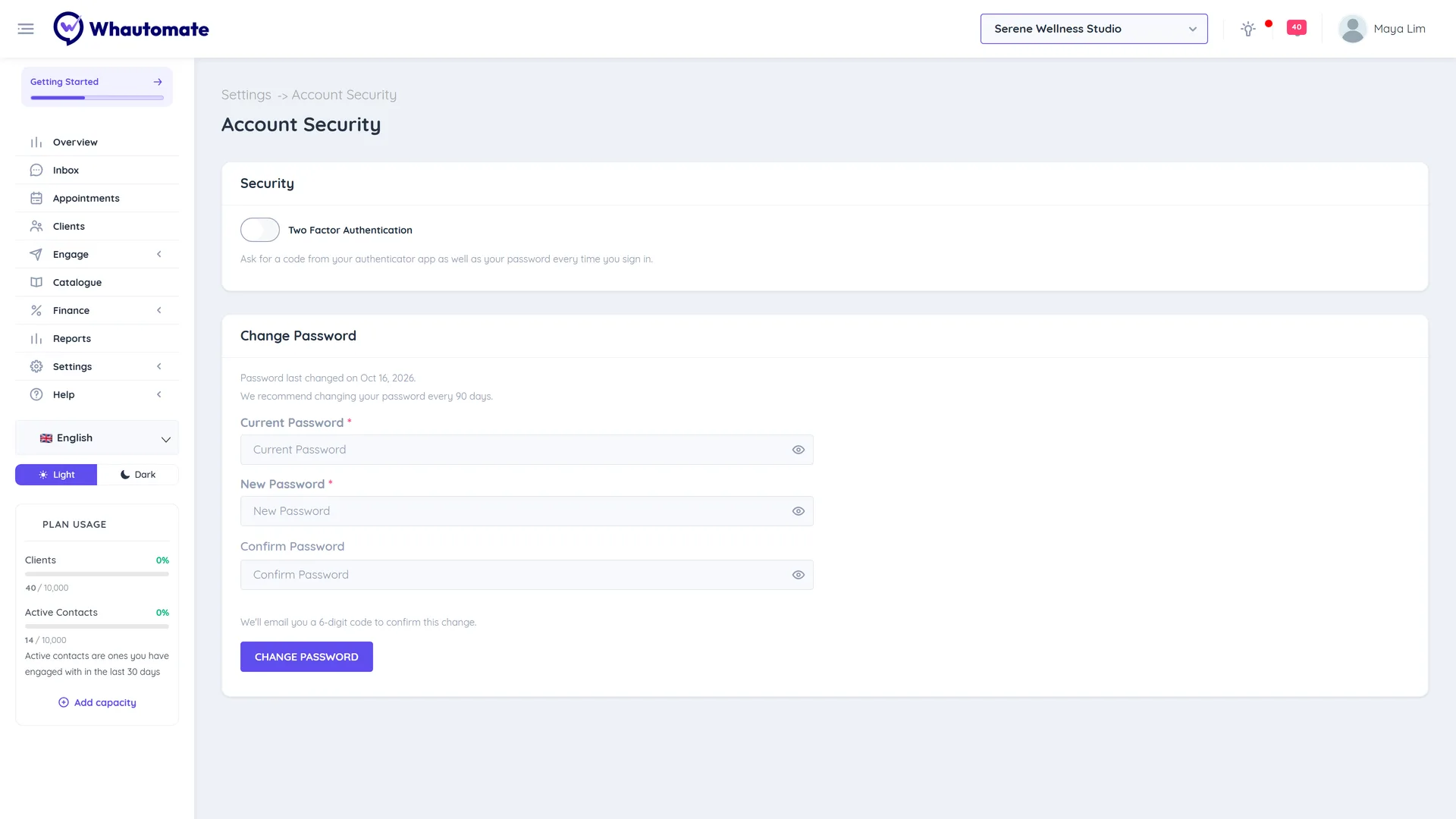
The screen has two parts:
| Part | What you can do |
|---|---|
| Security | Switch Two Factor Authentication on or off. See Two Factor Authentication. |
| Change Password | See when you last changed your password, and set a new one. See Reset Password. |
Changes are confirmed by email
Changing your password, or turning two-factor authentication on or off, opens Confirm it's you. Whautomate sends a 6-digit code to the email on your account, and the change only happens after you enter it. This stops anyone who gets hold of an open session from locking you out.
- The dialog shows where the code was sent, with part of the address hidden.
- Click Send a new code if it does not arrive. You can ask for a new code after about a minute.
- A code is valid for 10 minutes. After several wrong codes, or too many codes in an hour, wait before trying again.
After the change, Whautomate emails you a notice with the time, IP address and device, so you know straight away if someone else made it.
Security reminders
After you log in, Whautomate can show a reminder at the top of the screen:
- Time to refresh your password: your password is getting old. Click Change password, or Remind me later.
- Add an extra layer of security: two-factor authentication is off. Click Turn it on, or Remind me later.
Reminders never block you. If you snooze one, it stays snoozed on all your devices.
Tips
- Use a password you do not use anywhere else, and store it in a password manager.
- Turn on two-factor authentication for the account owner and every administrator.
- If a team member leaves, deactivate them on the Team Members page. They are signed out straight away. See Invite, Activate or De-activate Members.
- To see what was changed in your account and by whom, open the Activity Log.