User Preferences and Language
User Preferences lets each team member set how the app looks for them: the language, light or dark mode, and whether times show on a 12-hour or 24-hour clock. These are personal settings. They follow you to any browser you log in on and do not change what the rest of your team sees.
Languages
Whautomate is available in 8 languages:
| Language | Shown in the list as |
|---|---|
| English | English |
| Arabic | العربية |
| Spanish | Español |
| Portuguese (Brazil) | Português (Brasil) |
| Portuguese (Portugal) | Português (Portugal) |
| French | Français |
| Chinese (Simplified) | 简体中文 |
| Malay | Bahasa Melayu |
In Arabic the app reads right to left. Dates, month names and day names follow the language you choose.
Change your preferences
- Click your profile picture at the top right and choose User Preferences. You can also go to Settings > All Settings and, under My Profile, click User Preferences.
- Under Language, choose the language for the app.
- Under Appearance, click Light or Dark.
- Under Time format, click 12-hour or 24-hour.
- Click Save. The app switches straight away.
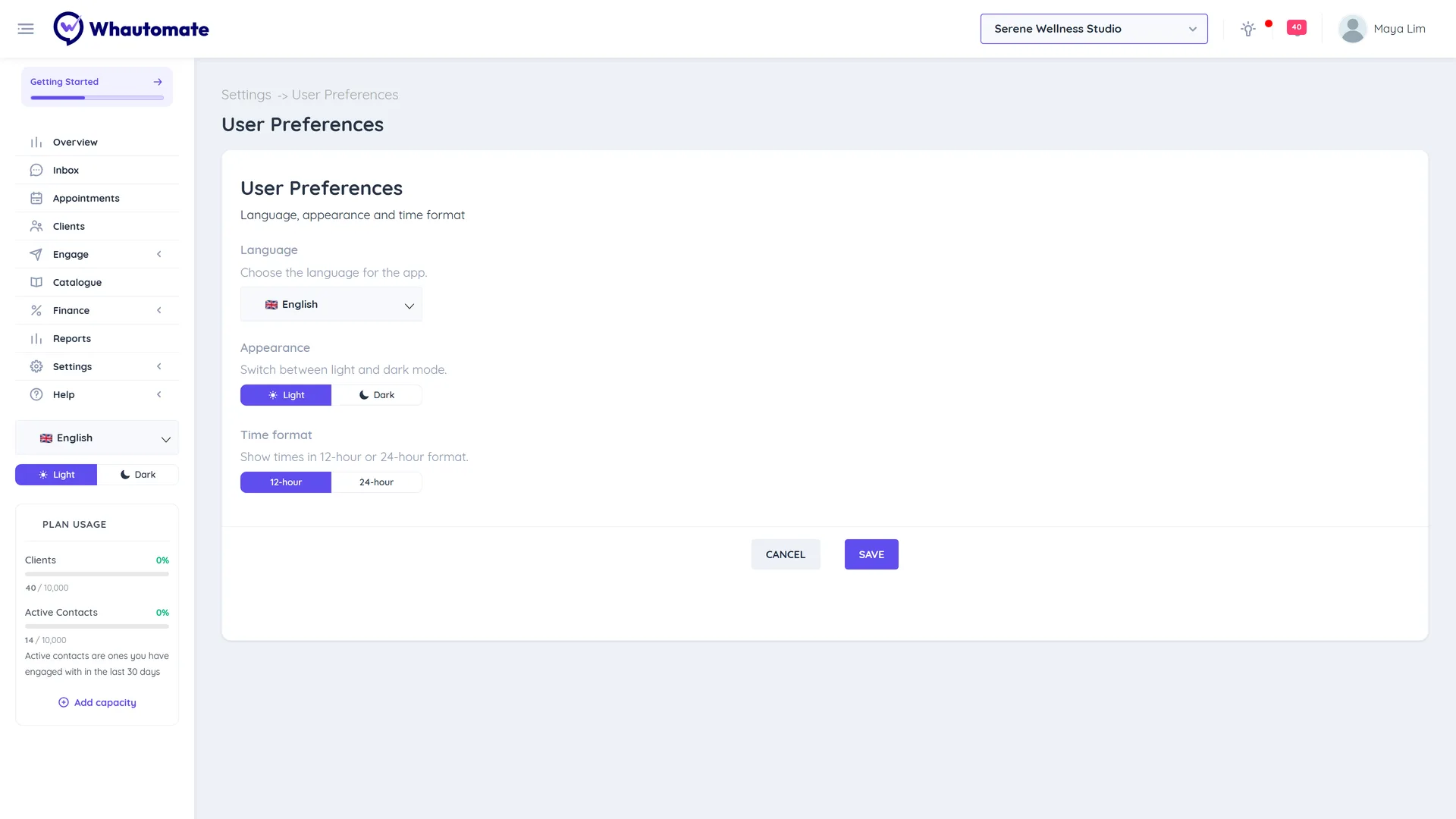
You can also pick a language on the login and sign-up pages before you log in.
These settings change only how things are shown to you. They do not change your account timezone, the times of bookings, or the language of messages and templates your clients receive.
Reorder or hide sidebar items
Edit Menu lets you arrange the sidebar the way you work. Like your other preferences, it applies only to you.
- Go to Settings > All Settings and, under My Profile, click Edit Menu.
- Drag items to reorder them.
- Untick an item to hide it from your sidebar.
- Click Save. You see Menu Successfully updated.
To go back to the standard sidebar, click Restore Default.
Hiding an item does not remove access: you can still open it from Settings or a link. If an owner or administrator changes your role or permissions, your sidebar goes back to the default.