DOKU
DOKU is a leading payment gateway in Indonesia. Connecting it lets your clients pay invoices, bookings, plans and store orders with the payment methods you enable in DOKU. You need your DOKU Client ID and Secret Key, and you paste a Notification URL from Whautomate into DOKU so payments are confirmed automatically.
Before you start
- You need the Administrator or Owner role.
- Have access to your DOKU Back Office.
Connect DOKU
-
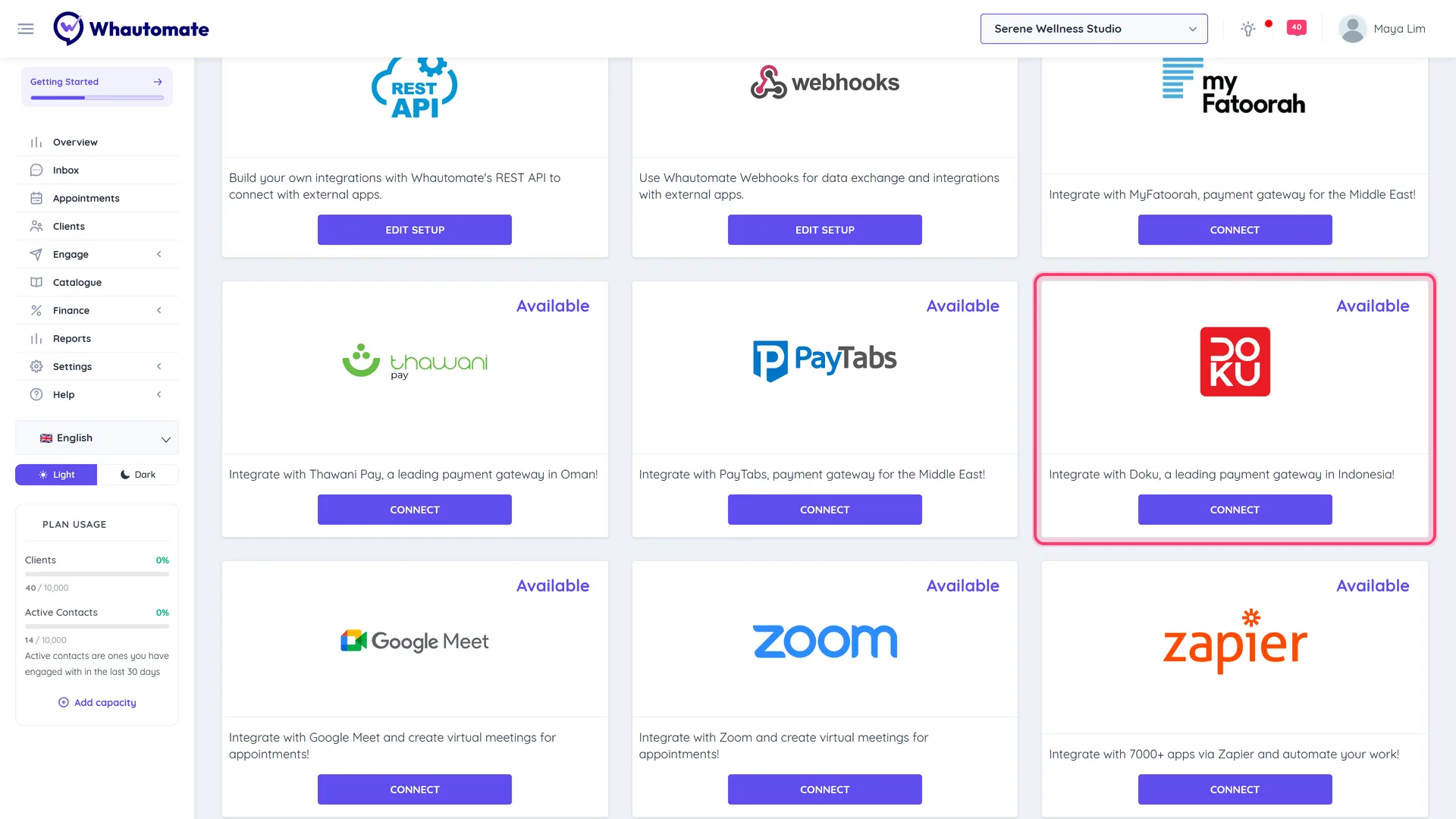
Go to Settings > Finance > Payment Gateways (or Integrations and click Connect on the Doku card).
-
On the Doku row, click Configure Doku. The Doku Configuration page opens.
-
In your DOKU Back Office, go to Settings > API Keys and copy your Client ID and Secret Key.
-
Paste them into Doku Client ID and Doku Secret Key.
-
Under Notification URL, click Copy to copy your Notification URL.
-
In the DOKU Back Office, set this as the Notification URL for every payment method you enable. DOKU explains where in its Notification URL setup guide.
-
Back in Whautomate, click Save.
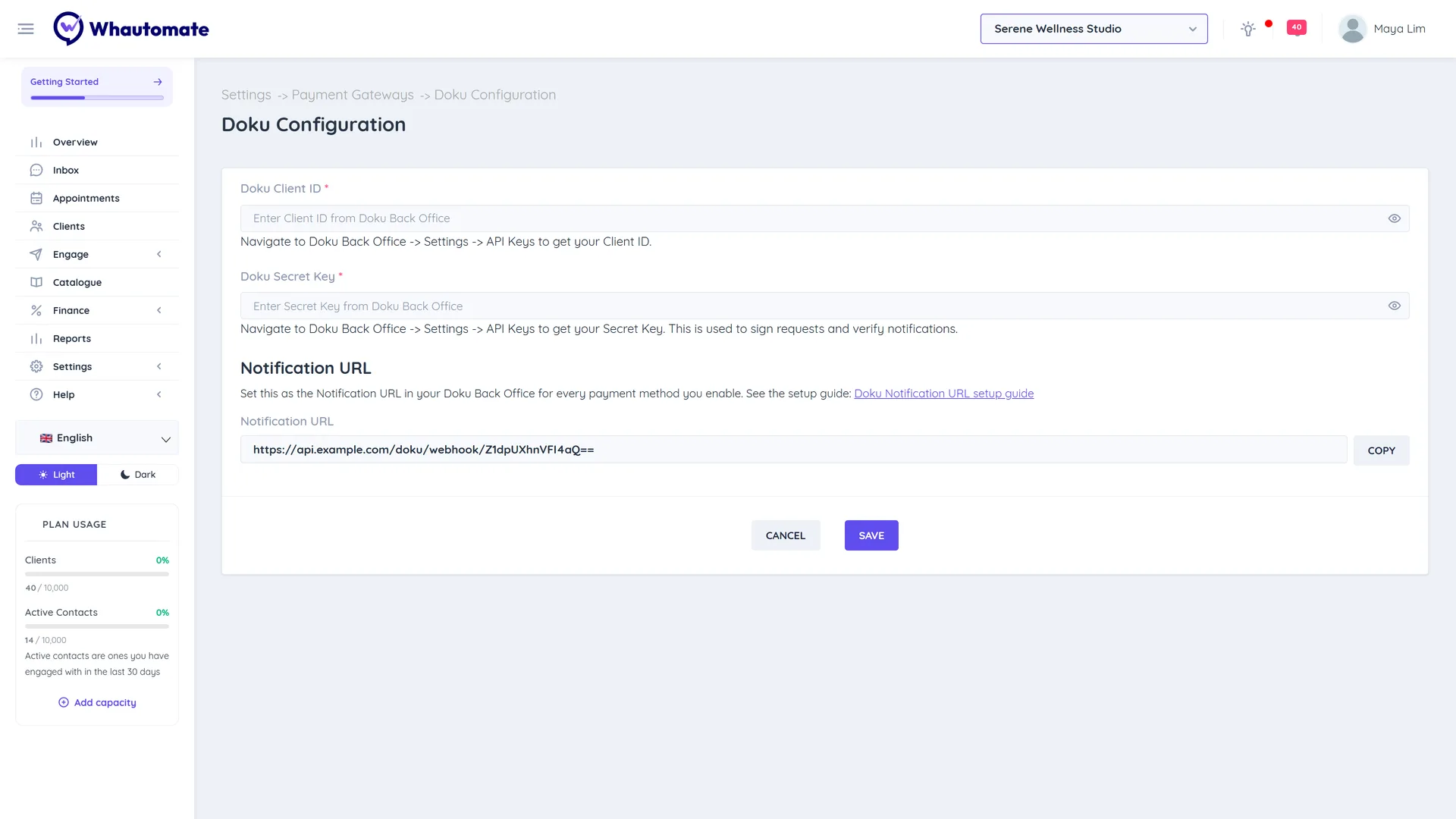
You see "Doku Gateway settings saved." The Doku row on Payment Gateways now shows Edit Configuration and Disconnect Doku.
Test it
- Create a small invoice for yourself and tick Request payment via WhatsApp, then Save and Send.
- Open the WhatsApp message and tap the payment button.
- Pay with a DOKU payment method. The invoice changes to Paid once DOKU sends its notification.
Update or disconnect
- Click Edit Configuration to change keys, then Update.
- Click Disconnect Doku and confirm to stop taking payments with DOKU.
Troubleshooting
- Invoice stays Sent after payment: check that the Notification URL is set for the payment method the client used.
- Payment page shows an error: check the Client ID and Secret Key belong to the same DOKU environment.