Anthropic Claude
Connect Anthropic to run your AI chatbots and AI Conversation replies on Claude models, using your own API key. Claude writes careful, well-structured answers and follows instructions closely, which suits businesses where tone matters. It reads images and can search the web, but it cannot transcribe voice notes, and it uses your documents differently from the other providers (see Knowledge base). To compare it with the other providers, see AI providers.
Anthropic bills you directly for what the AI uses, so add credits in your Anthropic account.
Before you start
- An account in the Anthropic console with credits or billing set up.
- You need to be an admin in Whautomate.
Step 1: Create an API key in Anthropic
- Sign in to the Anthropic console.
- Open API keys and click Create Key.
- Give it a name, for example "Whautomate", and copy the key. Anthropic shows it only once.
Step 2: Connect Claude
-
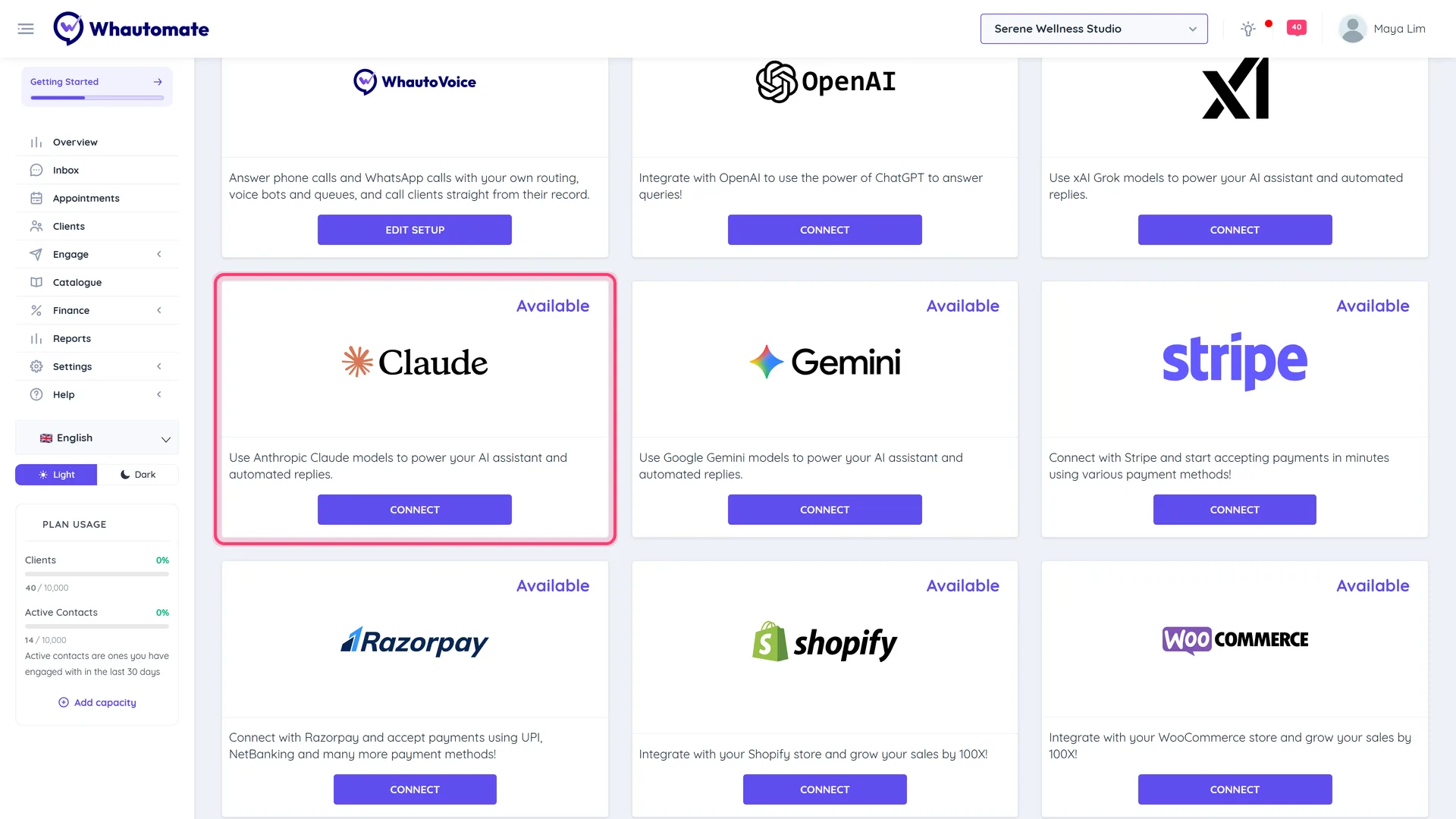
Go to Settings > Integrations and click Connect on the Anthropic (Claude) card.
-
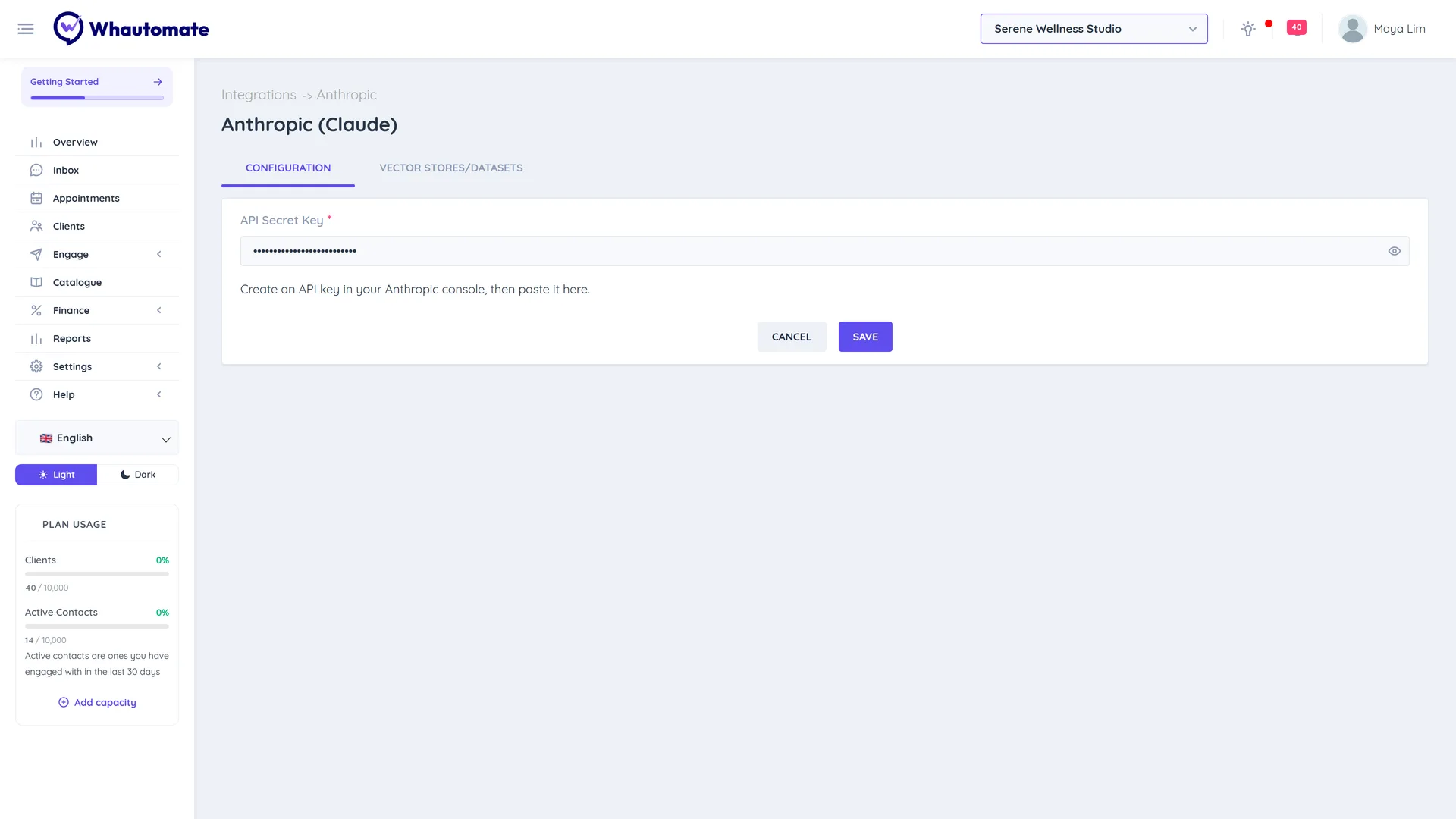
On the Configuration tab, paste the key into API Secret Key.
-
Click Save. You see The Anthropic (Claude) configuration is saved successfully!
The card on the Integrations page now shows Connected. To change the key later, click Edit Setup.
Step 3: Add a knowledge base
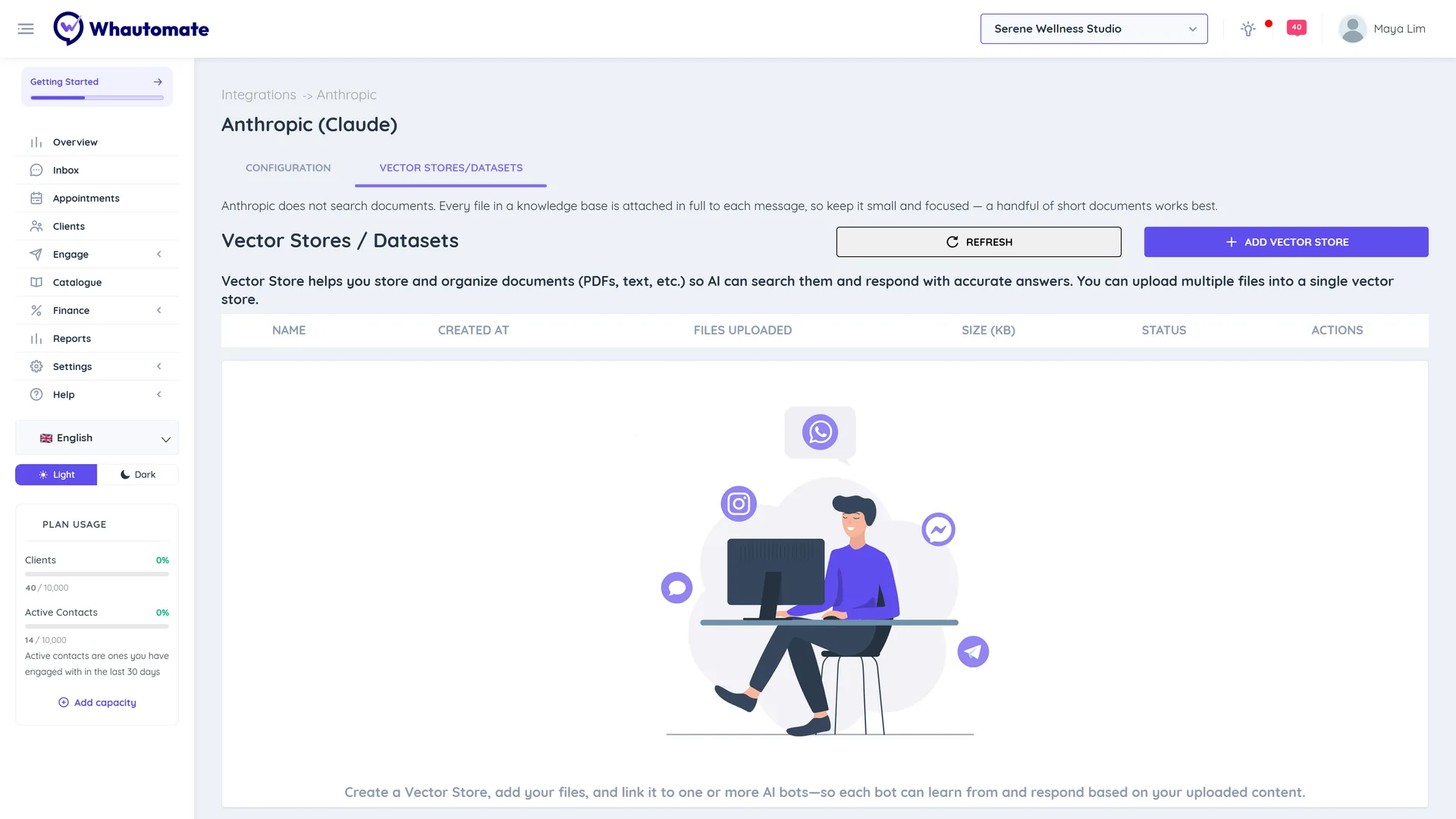
Anthropic does not search documents. Instead, every file in a Claude knowledge base is attached in full to each message the assistant answers. That makes answers thorough, but every reply reads all the files, so large documents make replies slower and cost more.
- On the Anthropic (Claude) page, open the Vector Stores/Datasets tab. The note at the top repeats that files are attached, not searched.
- Click Add Vector Store, enter a Name and click Save.
- Click View & Add Files, then Add File, and choose a file (max 16 MB).
- Click Attach.
Limits that apply only to Claude:
- Up to 10 files. A knowledge base holds at most 10 files, and at most 10 files are attached to a reply in total, even when the action uses several knowledge bases.
- PDF, TXT, HTML or Markdown only. DOC, DOCX and PPTX files are refused. Save them as PDF first.
- Chunk settings have no effect. Anthropic handles the text itself; the Chunking column shows Automatic.
- View File Text shows the text of TXT, HTML and Markdown files. For a PDF it shows that no preview is available.
A handful of short documents works best: a price list, an FAQ and your policies. Remove anything the assistant does not need to answer customers.
Step 4: Use Claude in an automation
- Open the rule with your AI Conversation action and go to its Configuration tab.
- Set AI Provider to Anthropic (Claude) and pick a Model. The list is loaded live from your Anthropic account. Sonnet is the everyday choice for support and booking, Haiku is the fastest and cheapest, and Opus reasons most deeply at a higher price.
- Claude models are reasoning models, so Reasoning Model switches on by itself. Reasoning Effort sets how much the model thinks before it answers.
- On the Built-in Tools tab, turn on Enable File Search and choose your knowledge base under Knowledge Base.
- Optional: Enable Web Search and Understand images. Search Context Size is not offered for Anthropic.
- Test it on the Playground tab, then save the rule.
Claude cannot transcribe voice notes, so Understand voice messages is not available and voice messages are handled using their text only. If your customers send many voice notes, use OpenAI or Google Gemini for that rule.
Your key and Whautomate AI credits
AI chatbots and AI Conversation replies on Claude always run on your own Anthropic key, and Anthropic bills you; they do not use Whautomate AI credits. The AI credits on your plan cover built-in features such as Generate with AI in the inbox, translation and AI template generation, which do not need an Anthropic key.
Troubleshooting
- An "Anthropic cannot read ..." error when you attach a file. Convert the file to PDF, TXT, HTML or Markdown and upload it again.
- "This knowledge base already holds the maximum of 10 files for Anthropic." Delete a file before adding another, or merge short files into one.
- Replies are slow or expensive. Your knowledge base is too large. Shorten the documents or remove ones the assistant rarely needs.
- The dashboard shows "Action required: AI replies are failing because your OpenAI account is out of credits." This warning appears for whichever provider ran out, even though it names OpenAI. Add credits in the Anthropic console. It clears after the next successful Claude reply.
- The Vector Stores/Datasets tab says "Anthropic (Claude) Secret Token is not configured." Save your key on the Configuration tab first.