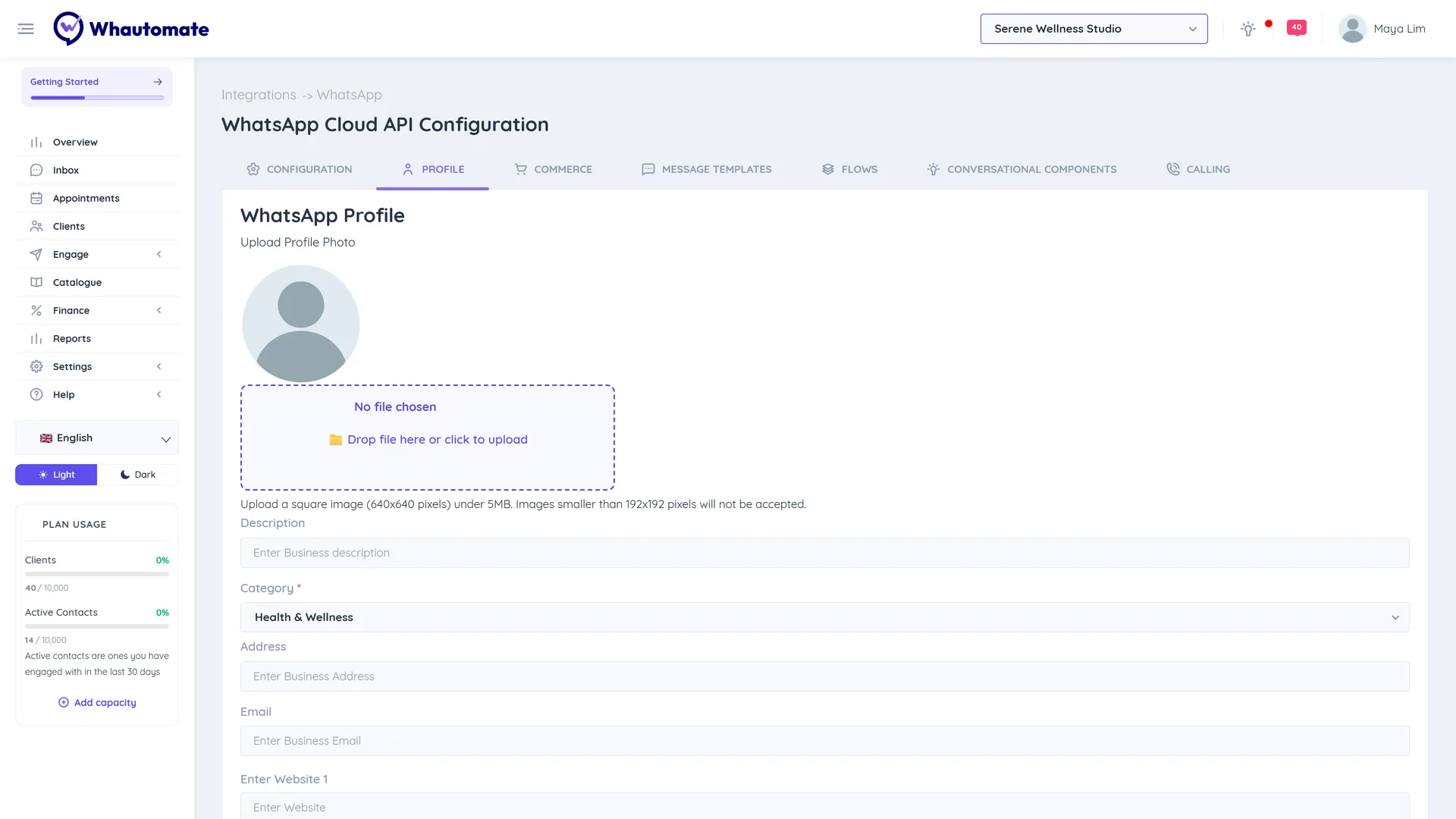
WhatsApp Profile
Your WhatsApp profile is what customers see when they tap your business name in WhatsApp: your photo, a short description, your category, address, email and website. You can update it here without opening WhatsApp Manager.
Before you start
- Connect WhatsApp. See WhatsApp Cloud API.
- You need to be an admin.
- Your display name is changed separately and needs Meta's approval. See How to change your WhatsApp Business display name.
Update your profile
- Go to Settings > Integrations and click Edit Setup on the WhatsApp card.
- Open the Profile tab.
- Click Upload Profile Photo and choose a square JPG or PNG image. 640 x 640 pixels works best; it must be under 5 MB and at least 192 x 192 pixels.
- Fill in the details you want customers to see:
- Description: what your business does (up to 256 characters).
- Category: the type of business, for example health or beauty.
- Address (up to 256 characters).
- Email.
- Enter Website: up to two websites. Each must start with https://.
- Click Save. You see WhatsApp Profile updated successfully!
Changes can take a few minutes to show in WhatsApp.