Customer Service
Customer service in Whautomate starts with one shared inbox. Connect WhatsApp, Instagram, Messenger, Telegram, TikTok, SMS and live chat, and your team answers every conversation from one place, on the web or in the mobile app. An AI chatbot answers common questions around the clock and hands over to a team member when needed. Do the Getting Started steps 1 to 5 first.
The team inbox, chatbots and canned responses are on every plan. With CRM Suite, conversations link to client profiles, so your team sees tags, notes, forms and history while they chat.
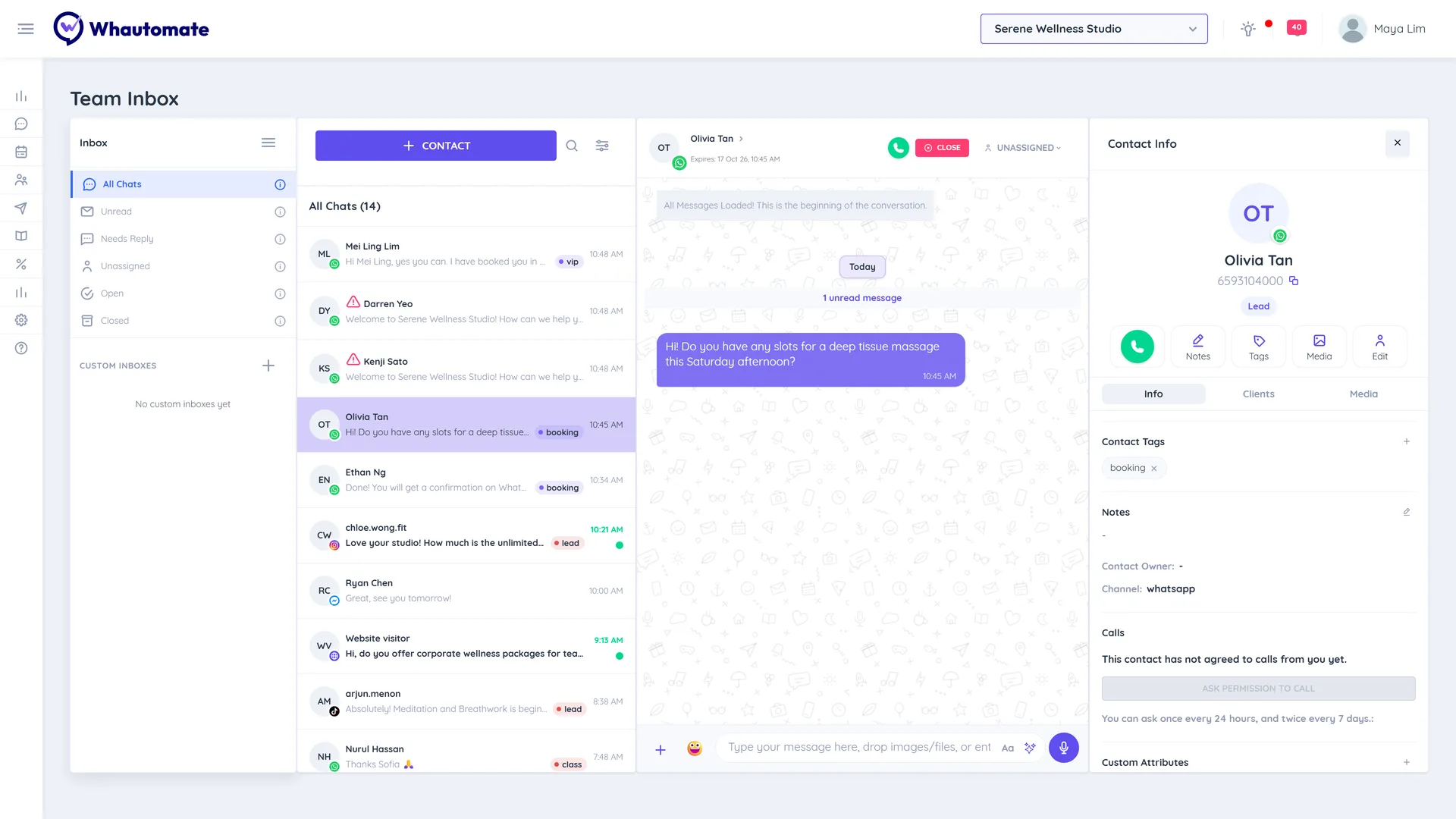
1. Every channel in one inbox
- Connect your channels: Connect a Communication Channel
- Fill in your WhatsApp profile so customers recognise you
- Add live chat to your website
2. Set up the inbox
- Learn assignment, internal notes and closing chats: Team Inbox
- Save answers to common questions: Canned Responses
- Manage the people you chat with: Contacts
- Send an away message outside your business hours
3. AI chatbots with handover
- Connect an AI provider: OpenAI
- Answer automatically from your own information: WhatsApp AI Chatbot - Customer Service and Telegram AI Chatbot - Customer Service
- Do the same on Instagram, Messenger and live chat
4. Client context in every chat
- Set up client tags, contact tags and referral sources: Manage Data Lists
- Import your existing clients: Bulk Import Clients
- See and update the client behind each chat: Client Details
- Collect details inside the chat: WhatsApp Flow Forms
5. Measure
- Ask customers to rate each conversation: CSAT Score
- Watch response times and volume: Communications Report
You are live when a message on any channel gets an instant answer from the chatbot, reaches the right team member when it needs a person, and the customer can rate the conversation afterwards.