Appointments
If you run a salon, spa, health practice, or fitness and wellness business, this track gets you taking appointments online and on WhatsApp, with confirmations and reminders sent automatically. Do the Getting Started steps 1 to 5 first, then work through this list. Each step links to a full guide.
1. Your team, hours and holidays
- Set your opening hours and holidays: Business Hours and Holidays
- Add team members, the services they deliver and their weekly hours: Setup Team Member Profile
2. Services and prices
- Create your services: Setup Services, or bring them in from a spreadsheet with Bulk Import Services
- Add variants (for example 60 or 90 minutes), sale prices, staff prices and peak pricing: Service Pricing
- Set the booking window, cancellation cut-off and timezone: Appointment Settings
- Choose the details clients fill in: Booking Fields
3. Take bookings
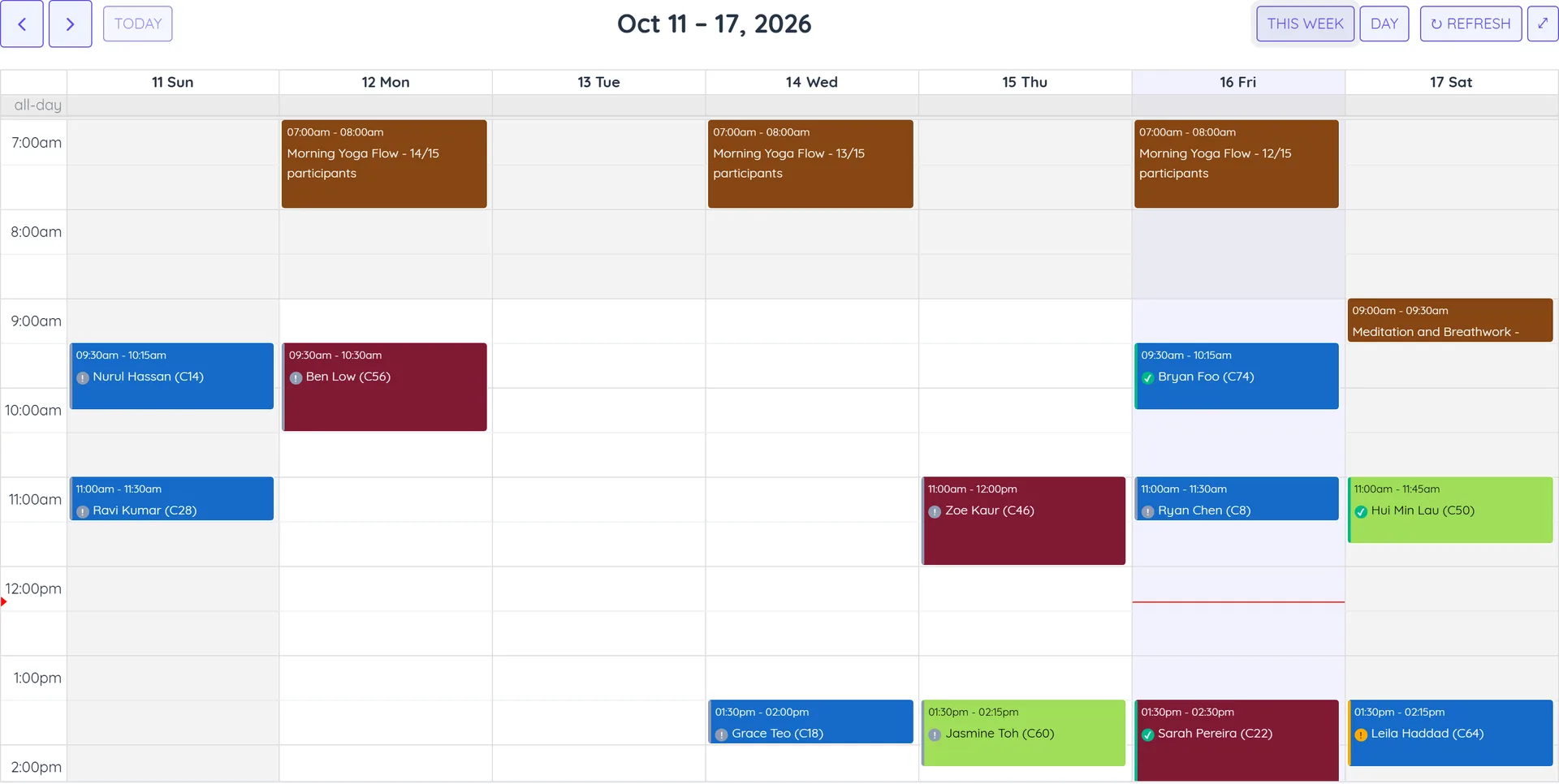
- Book a test appointment yourself: Book Appointments - Admin and Manage the Appointments Calendar
- Open your branded booking page and share its link: Setup the Booking Portal
- Ask guests to confirm their phone or email with a code: Contact Verification
- Let clients book in chat: WhatsApp Flow Appointment Chatbot, the AI Booking Chatbot or the Telegram mini app
- Bring in existing bookings: Bulk Import Appointments
- See appointments in your own calendar: Sync with External Calendars
4. Confirmations and reminders
- Send confirmations, reminders and follow-ups: Setup Appointment Notifications
- Ask clients to confirm they are coming: Appointment Double Confirmation
- Tell your team about bookings: Appointment Notifications for Staff
- Send one summary for recurring bookings: Bulk Appointment Notifications
Online sessions: connect Zoom or Google Meet, then set up online session services and their notifications.
5. Take payment at booking
- Connect a gateway: Stripe, Razorpay, MyFatoorah, Thawani Pay, PayTabs or DOKU
- Ask for full payment or a deposit when clients book: Online Payment at Booking
- Sell packages that clients book with credits (Sales module): Plans & Memberships
6. Bring clients back
- Send review requests, rebooking reminders and birthday wishes automatically: Automation Rules
- Send offers to the right group: Segmentation & Broadcasts and Marketing Opt-out Management
You are live when a client can find a free time on your booking page, book it (and pay, if you ask for payment), and get a WhatsApp confirmation and reminder without anyone on your team doing anything.