Appointment Double Confirmation
Double confirmation cuts no-shows: shortly before an appointment you send the client a link, and they tap Yes, confirm my appointment. Your team then sees at a glance who has confirmed, and can call the ones who have not. Confirming does not change the appointment status; it adds a Double Confirmed marker and records who confirmed.
- A WhatsApp template message (or email) for the reminder. See WhatsApp Message Templates.
- Double confirmation is on by default. It is off if Turn Off Double Confirmation is on in Appointment Settings.
Send the confirmation link
The link is not sent on its own. Add it to a reminder automation:
- Create or open your appointment reminder rule. See Setup Appointment Notifications.
- In the Send a WhatsApp Template Message action, set a parameter (often a button URL) to
{{appointment.confirmURL}}. - Save the rule.
The client opens a page that asks "Are you still coming?" (or "Are you still joining?" for online sessions and "Are you still expecting us?" for home visits). They can tap Yes, confirm my appointment, or choose to reschedule or cancel instead.
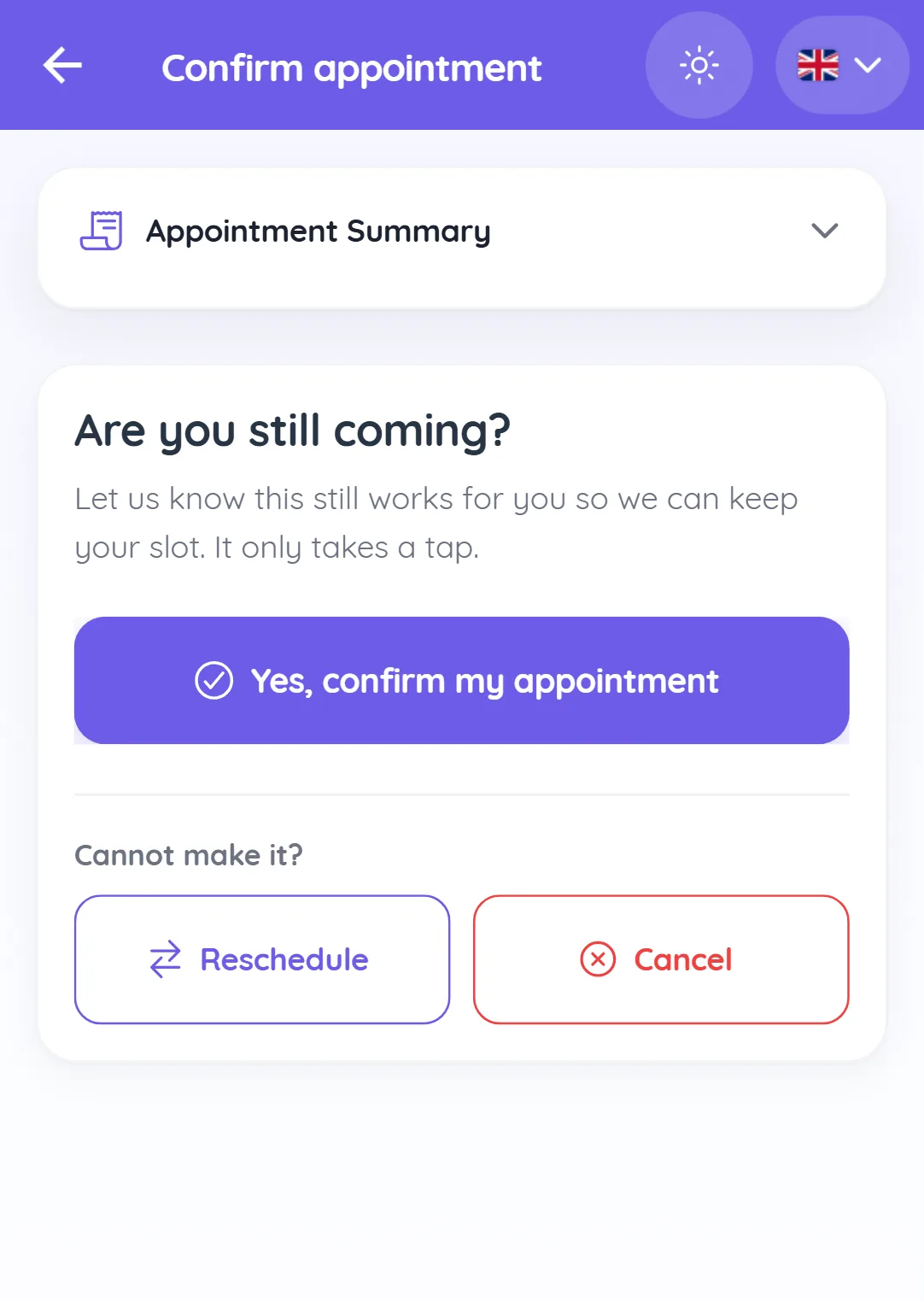
To send the link by hand, open the appointment and click Copy Link next to the Not Double Confirmed marker.
See who has confirmed
- Each upcoming Booked or Rescheduled appointment shows Double Confirmed or Not Double Confirmed. Hover to see who confirmed.
- In Appointments > Date Range, use the Double Confirmation filter to list everyone still to confirm.
- The appointment details show "Double confirmed by {name} through the confirmation link" or "through a staff member".
Mark a confirmation yourself
When a client confirms on a call:
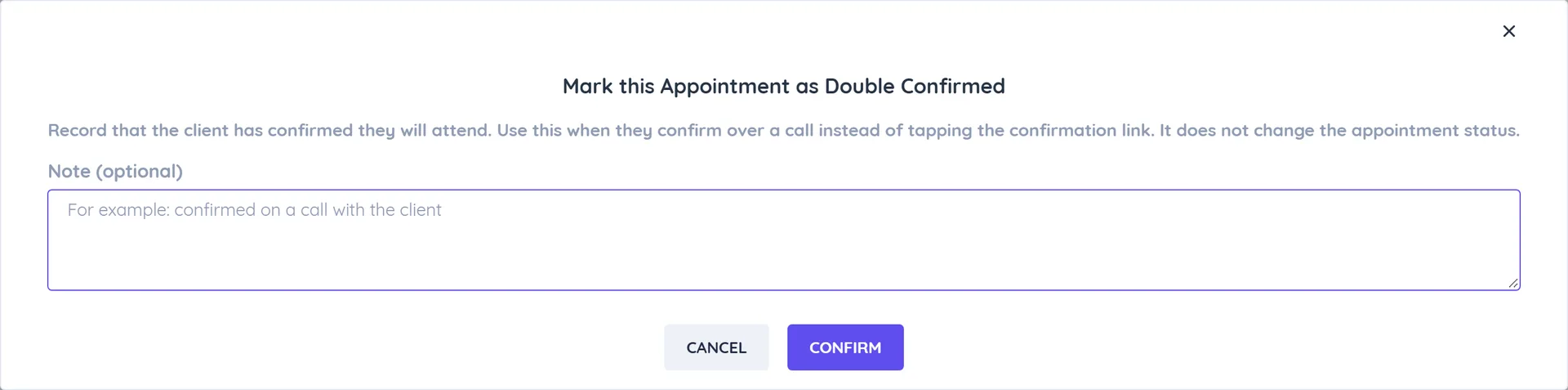
- Open the appointment and click Actions > Mark as Double Confirmed.
- Optional: add a Note (optional), for example "confirmed on a call with the client".
- Click Confirm.
Use Remove Double Confirmation to undo it.
Good to know
- The confirmation is cleared if the appointment is cancelled or its time, team member or service changes; send the link again after a reschedule.
- Past or cancelled appointments show "Nothing to confirm" on the link page.
- A webhook event
appointment_double_confirmedfires when a client confirms. See Appointment Webhooks.