Communications Report
The Communications report shows how busy your inbox is: how many new contacts reached you, how many messages came in and went out, which team members sent the most replies, and the hours when customers message you most. Use the peak hours to plan who covers the inbox and when.
Available on every plan.
Before you start
- You need access to Reports and to communication. Owners and Administrators have both. See Roles and Permissions.
- The report covers the workspace you are in.
Run the report
- In the sidebar, click Reports. Under Customers, click Communications.
- Set the filters:
- Channel: WhatsApp, Instagram, Messenger, Telegram or Live Chat, or All Channels.
- Filter by Date: This Month (the default), Last Month, Last 3 Months, Last 6 Months or your own dates.
- Click Run Report.
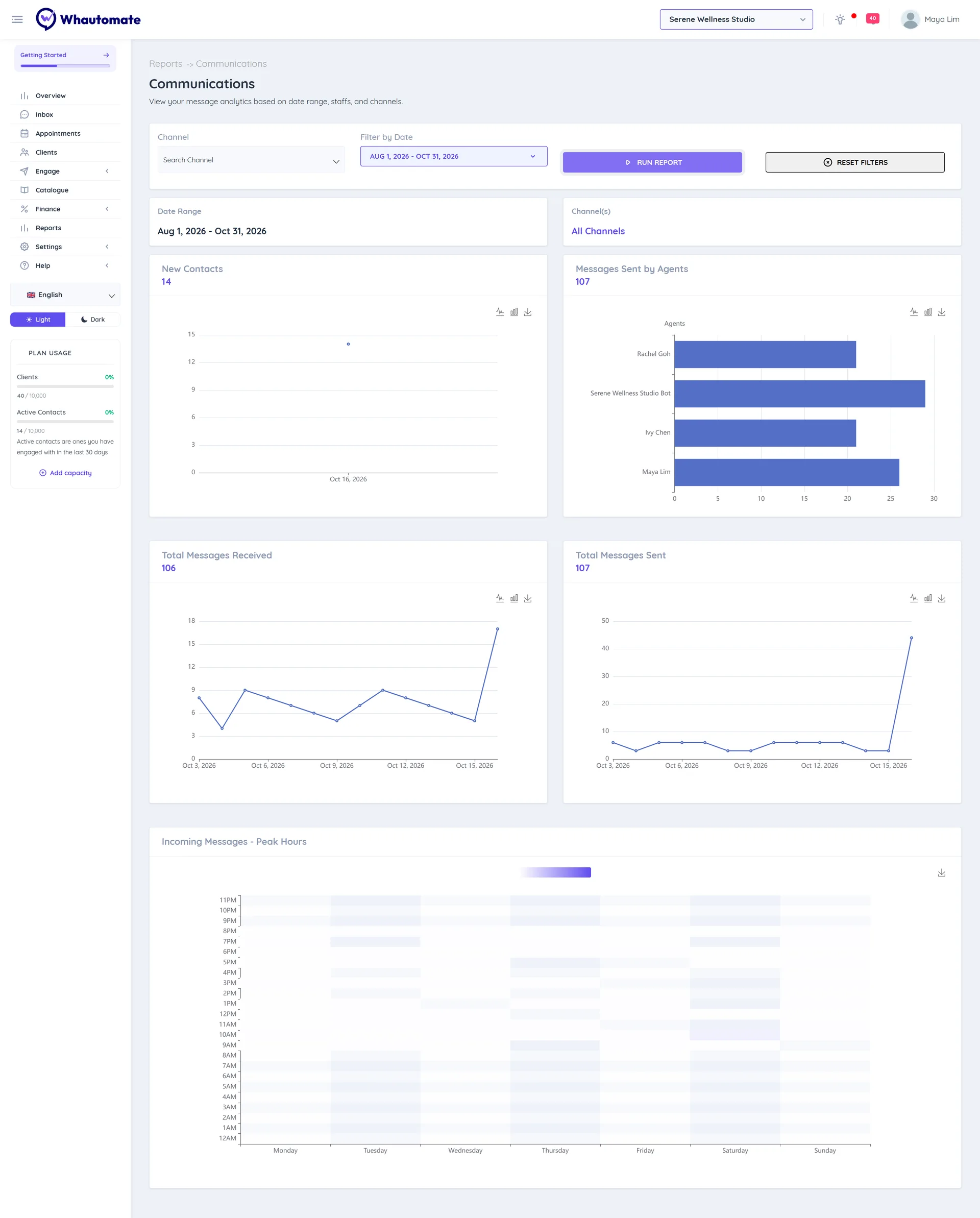
Read the report
- New Contacts: new contacts over the period.
- Messages Sent by Agents: how many messages each team member sent.
- Total Messages Received: incoming messages over the period.
- Total Messages Sent: outgoing messages over the period.
- Incoming Messages - Peak Hours: a heat map of incoming messages by day and hour. Darker cells are busier.
Each chart has a save button to download it as an image.