Update Business Settings
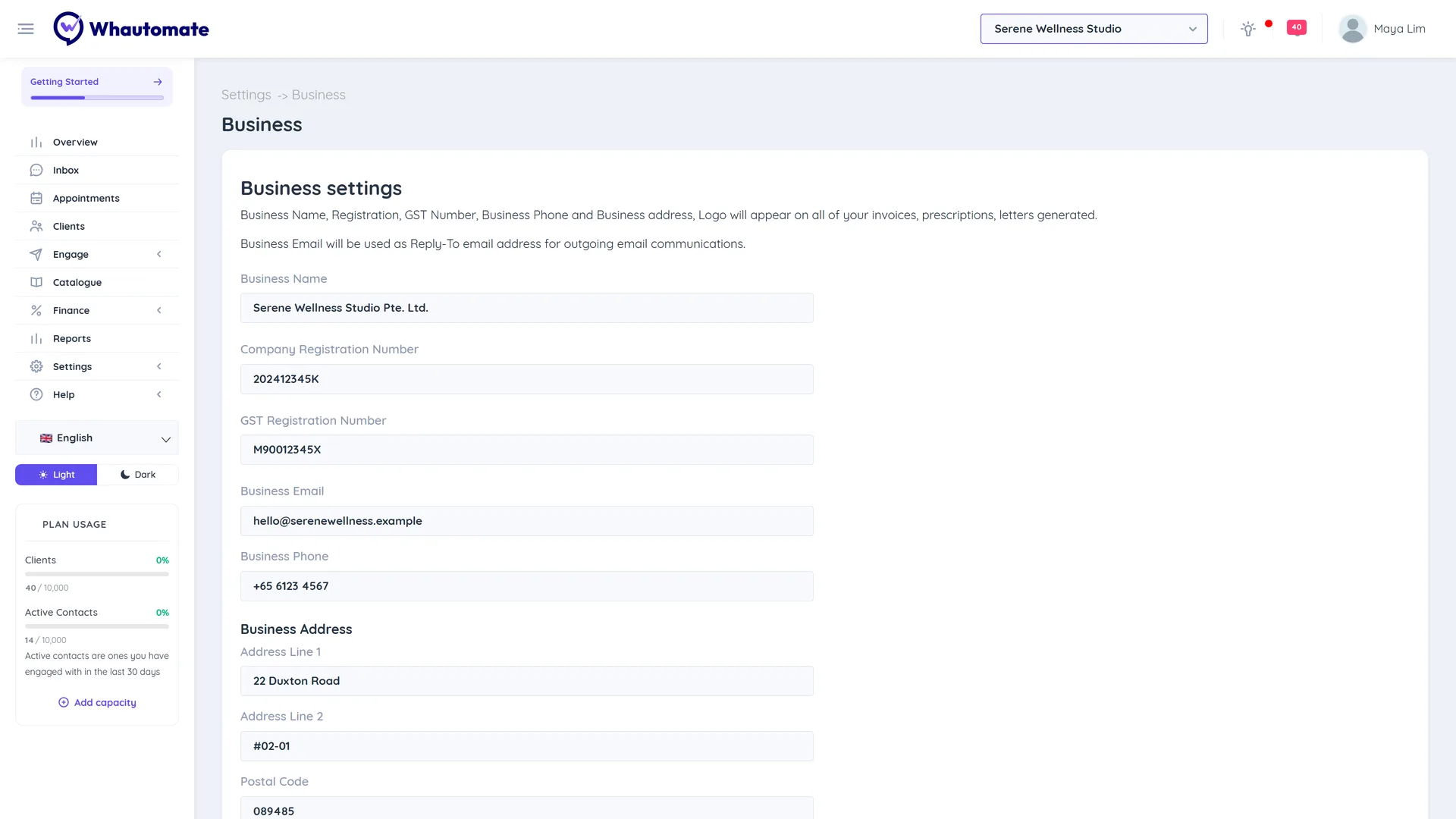
Business settings hold the details printed on every invoice, receipt and statement you send: your business name, registration and GST numbers, contact details, address and logo. The business email is also the reply-to address on emails to clients. Fill these in before you send your first invoice so clients see a complete, professional document.
Update your business details
- Go to Settings and, under Account & Team, click Business Settings.
- Enter your Business Name, Company Registration Number and GST Registration Number.
- Enter your Business Email (used as the reply-to address) and Business Phone.
- Under Business Address, fill in Address Line 1, Address Line 2 and Postal Code.
- Under Logo, upload your business logo.
- Click Save (or Update).
The new details appear on invoices and statements you generate from now on. To refresh the PDF of an older paid invoice, use Regenerate Invoice PDF on it.