WhatsApp Compliance Info
Indian regulations require businesses that sell products or services on WhatsApp to show their legal business details, a grievance officer and customer care contacts. WhatsApp displays them on your business profile.
The Compliance Info tab appears only for workspaces located in India.
Before you start
- Connect WhatsApp. See WhatsApp Cloud API.
- You need to be an admin.
- Phone numbers must start with + and the country code.
Fill in your compliance info
- Go to Settings > Integrations and click Edit Setup on the WhatsApp card.
- Open the Compliance Info tab.
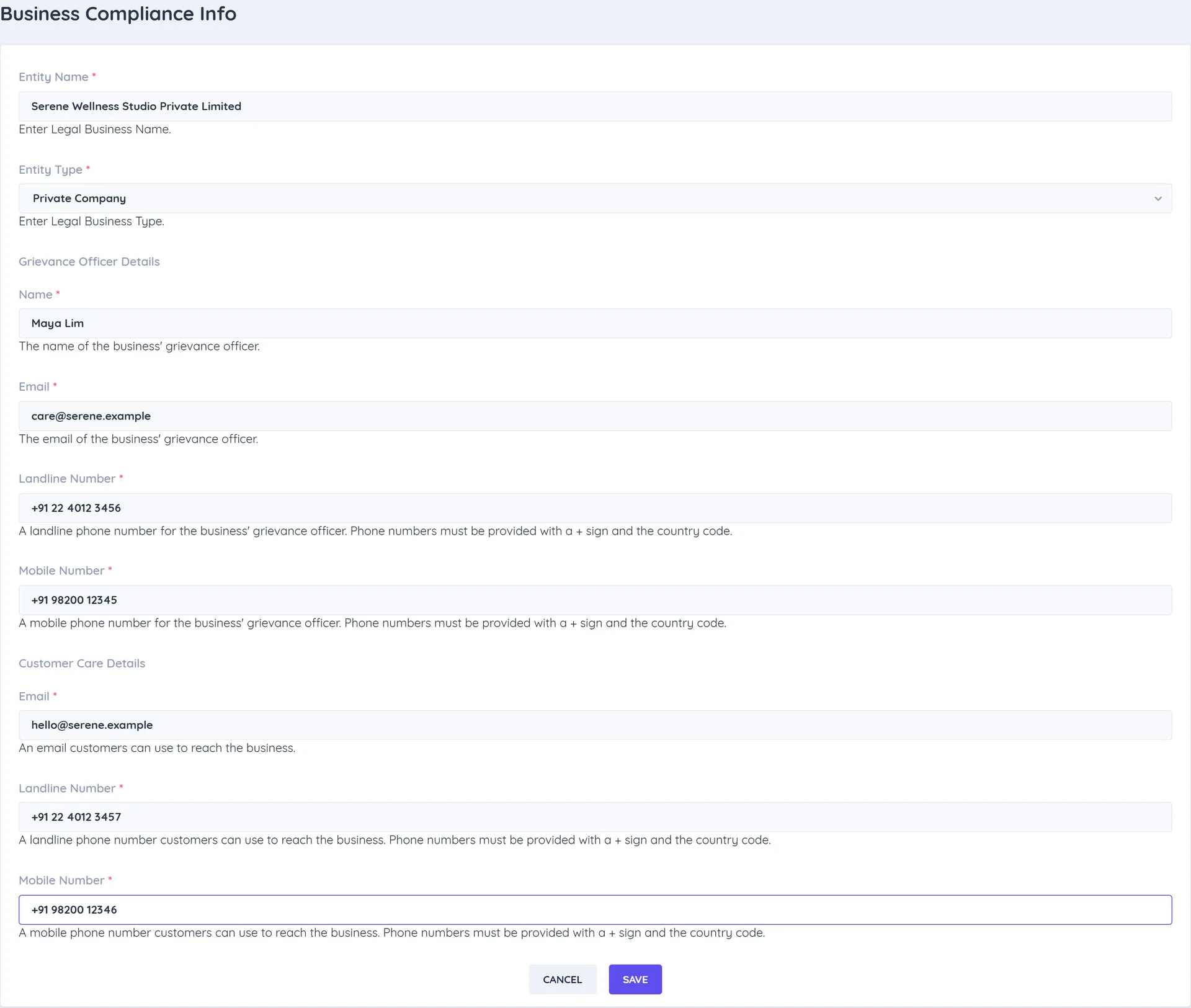
- Under Business Compliance Info, enter:
- Entity Name: your legal business name.
- Entity Type: for example Private Company, Sole proprietorship or Other (then enter a Custom Entity Type).
- Is Registered?: whether the business is registered.
- Under Grievance Officer Details, enter the officer's Name, Email, Landline Number and Mobile Number.
- Under Customer Care Details, enter the Email, Landline Number and Mobile Number customers can use.
- Click Save. You see The Whatsapp Compliance Settings is updated successfully!