SMS Broadcasts
An SMS broadcast sends one text message to many people at once, for example a reminder, an offer or a closing notice. It reaches anyone with a phone number, including people who do not use WhatsApp or Telegram.
SMS goes out through your own SMS provider (Twilio, Vonage or Telnyx), and your provider bills each SMS to your account with them. Whautomate has no SMS credits.
Before you start
- Connect an SMS provider to the location. See SMS. Without one, the form shows SMS is not set up and the campaign cannot be scheduled.
- To send to Contact segments you need Two-way SMS, because only two-way SMS chats create contacts. Client and class audiences work in one-way mode too.
Create an SMS broadcast
-
Go to Engage > Broadcasts and click + Add Broadcast.
-
Campaign: enter a Broadcast Name and choose SMS as the Channel.
-
Recipients: choose the Recipient Type:
- Client: client segments (CRM Suite). Clients without a phone number are left out.
- Class: participants of a class (CRM Suite and Bookings).
- Contact: SMS contact segments (two-way SMS only).
- Retarget: people from an earlier SMS campaign.
Recipients Count counts only people with a phone number who have not opted out.
-
Message Details: write the SMS message, up to 1600 characters. Click { } to insert a variable such as the first name. Click Send Test Message to send it to your own phone; the test is a real SMS billed by your provider.
-
Schedule & Send: choose a date and time, or leave it empty to send now. Check the summary and click Save & Schedule, or Save Draft to finish later.
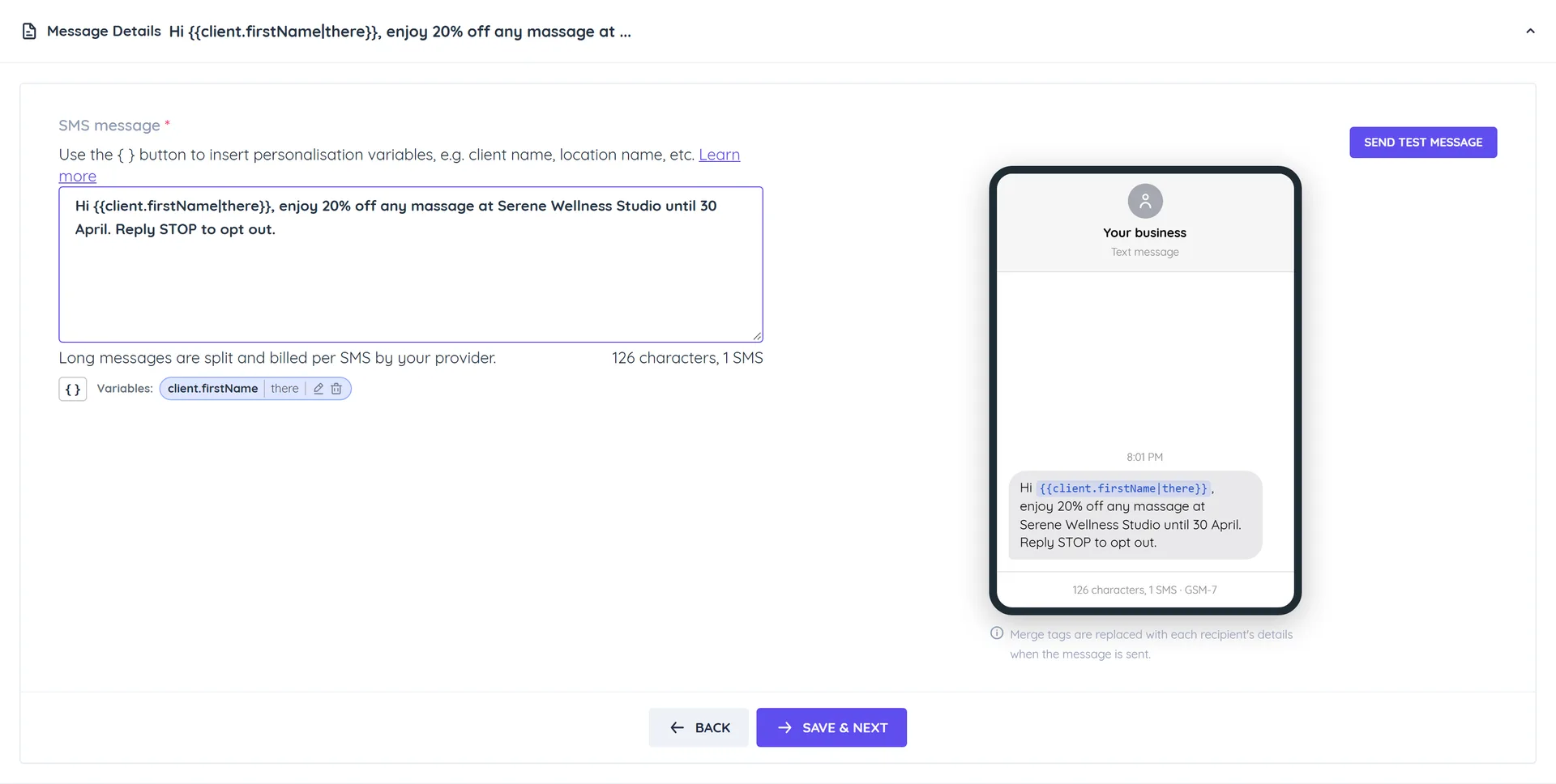
How long messages are billed
The counter under the message shows the characters and how many SMS the message splits into. Your provider bills per SMS:
| Message contains | One SMS | Each SMS once split |
|---|---|---|
| Only standard characters (letters, digits, common punctuation) | 160 characters | 153 characters |
| Any emoji, Arabic, Chinese or other special character | 70 characters | 67 characters |
A single emoji or curly quote switches the whole message to the shorter limit, so keep campaigns plain to save on cost.
Who receives it
- Each phone number receives the campaign once, even if it belongs to several clients.
- Numbers that replied STOP are left out.
- In Two-way mode, replies arrive in the Team Inbox.
- If the SMS provider is removed before the campaign runs, it fails with that reason.
Track results and retarget
Open the broadcast from Engage > Broadcasts to see sent, delivered, replied and failed counts, as for WhatsApp broadcasts. SMS has no read receipts, so Messages Read stays at 0.
To Retarget, choose sent, delivered, replied, not replied or failed recipients of an earlier SMS campaign. All Read Recipients is not offered.
Stopping, cloning, editing and deleting work as for WhatsApp broadcasts.