Communication Logs
Communication Logs lists the messages Whautomate sent on your behalf outside of chats: booking confirmations and cancellations, receipts, invoices and payment requests, statements, forms, documents, membership links, staff notifications from automations, and every SMS. Use it to check whether a client was sent something, when and by whom.
Conversations in the Team Inbox, campaigns and marketing emails have their own history. For the delivery, open and click events of every email, see Email Activity.
Open the logs
Go to Settings > Communication Logs (under Logs & Exports). Owners, admins, receptionists, finance managers and Practitioner/Staff users can open it.
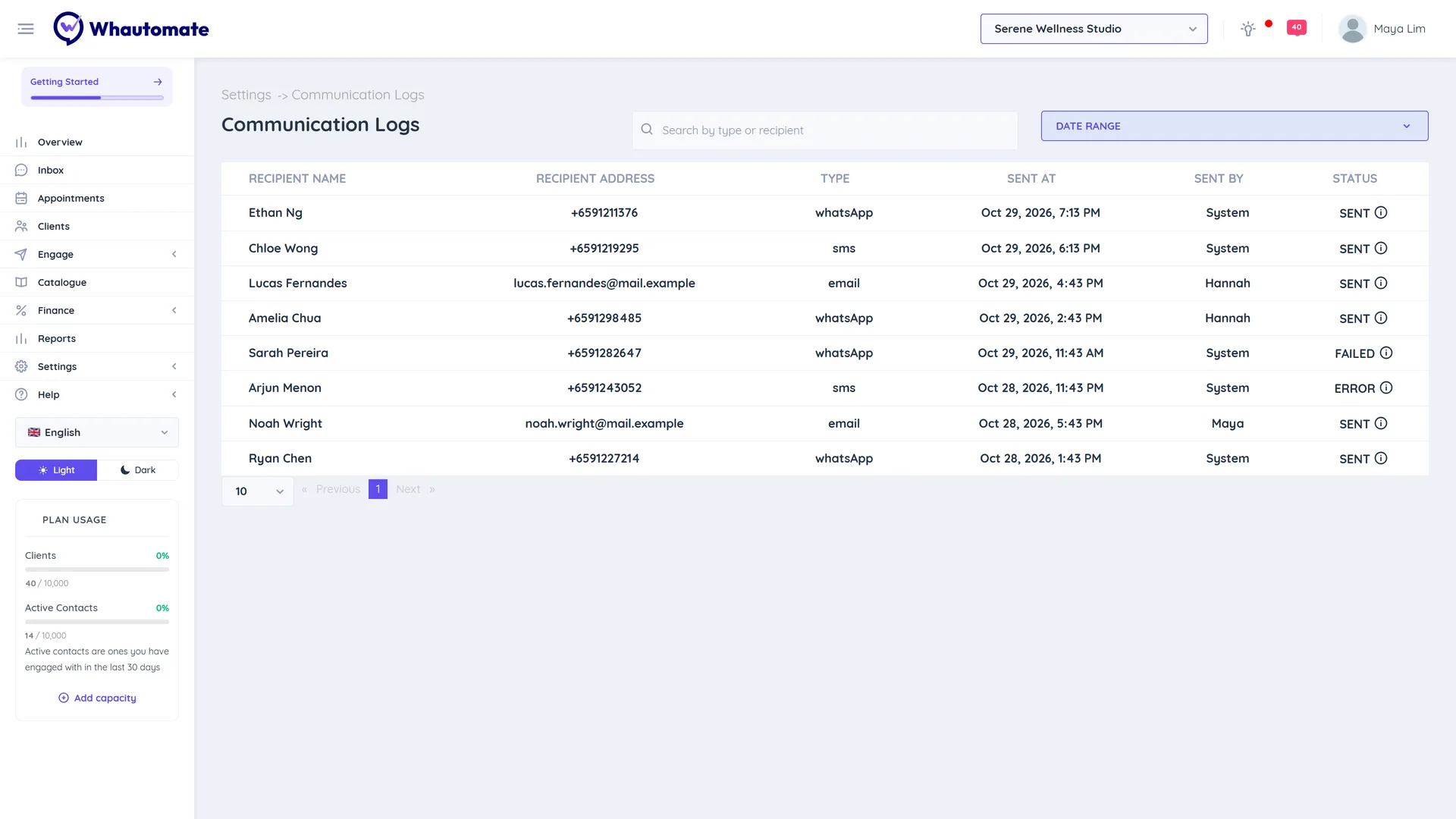
Each row shows:
| Column | What it shows |
|---|---|
| Recipient Name | The client or team member it went to. |
| Recipient Address | The phone number or email address. Team members whose phone numbers are masked see them masked here too. |
| Type | The channel: whatsApp, email, messenger or sms. |
| Sent At | The date and time it was sent. |
| Sent By | The team member who sent it, or System for automatic messages. |
| Status | Whether it went out, for example SENT, ERROR, or NOT_SENT for an SMS to a number that opted out. Hover the info icon to see the Template: used. |
Find a message
- Search by type or recipient: type a channel (for example
sms), a name, the digits of a phone number or an email address. - Date Range: choose Today, This Week or This Month, or pick a Start Date and End Date, and click Apply.
Results are shown newest first, a page at a time.