Performance Report
The Performance Report is a weekly scorecard for your business. It shows how last week went, compared with the week before: one headline figure, what moved most, and a card for each metric you follow, such as revenue, appointments attended, new clients or messages sent. It is the same report that owners and administrators receive by email every week.
Use it on Monday morning to see at a glance whether the business is going up or down, and where to look next.
Before you start
- You need access to Reports (Owner, Administrator or Accountant/Finance Manager). See Who can see reports.
- The metrics you see depend on your plan: revenue metrics need Sales (or Bookings for payments), booking and class metrics need Bookings, and client and email metrics need CRM Suite.
Open the Performance Report
- In the sidebar, click Reports.
- Under Overview, click Performance Report.
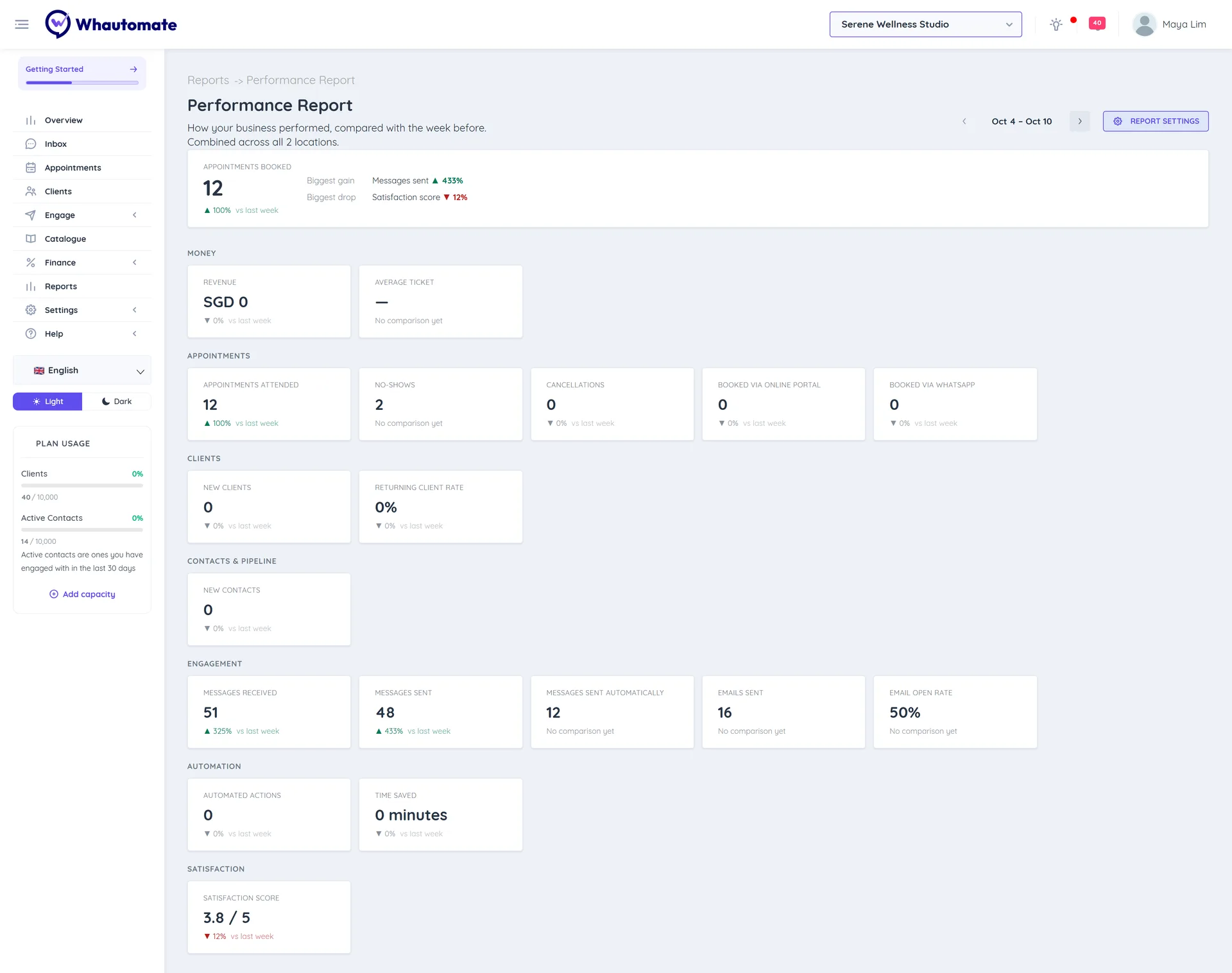
Read the report
- The week: the report covers a full week, Monday to Sunday, in your account timezone. It opens on the last complete week. Use the arrows next to the dates to go to the Previous week or Next week.
- All workspaces: the figures cover your whole account. If you have more than one workspace, the page says Combined across all 2 locations. (with your number).
- Headline: the first metric in your list, shown large, with its change vs last week.
- Biggest gain and Biggest drop: the metrics that moved most up and down. If nothing changed much, you see Nothing moved much compared with last week.
- Sections: every other metric, grouped (for example Revenue, Bookings, Clients, Communication). Each card shows the value and its change vs last week, or No comparison yet when there is nothing to compare with.
Changes are coloured by whether they are good or bad for the business: fewer no-shows is shown as an improvement, even though the number went down.
If the week had no activity, you see There was no activity in this period.
Change what is in the report
Owners and administrators can click Report settings at the top right to choose the metrics, their order and the headline. See Weekly Performance Report Email.