CSAT Report
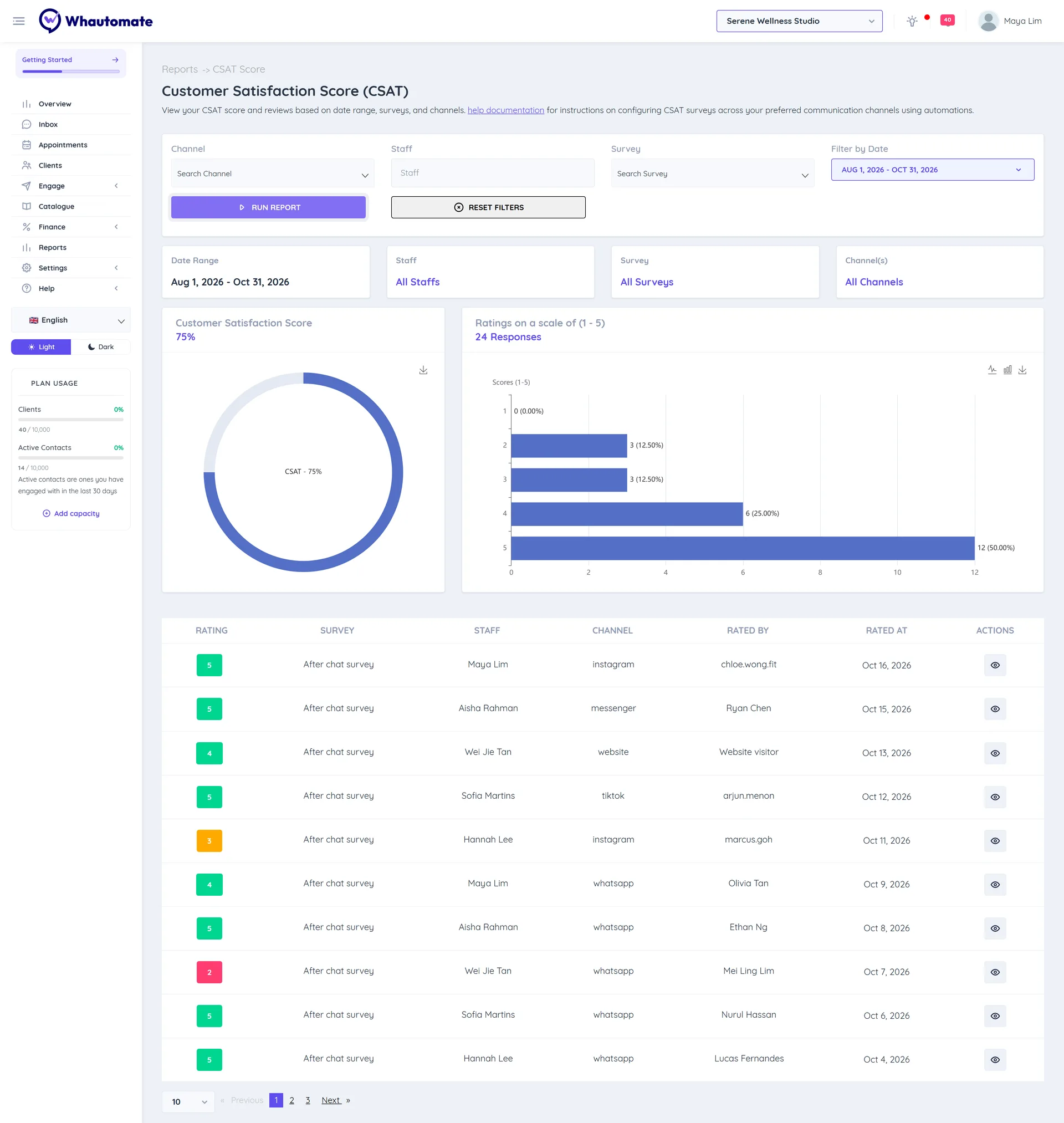
The Customer Satisfaction Score (CSAT) report shows how happy customers are, based on the 1 to 5 ratings they give in your CSAT surveys. Filter it by team member or survey to see who and what gets the best feedback, and open any rating to read the conversation behind it.
Available on every plan. To collect ratings, first set up a CSAT survey and an automation that sends it. See CSAT Surveys and Report.
Before you start
You need access to Reports (Owner, Administrator or Accountant/Finance Manager). See Who can see reports.
Run the report
- In the sidebar, click Reports. Under Customers, click CSAT Score.
- Set the filters:
- Channel: WhatsApp, Instagram, Messenger, Telegram or Live Chat, or All Channels.
- Staff: one team member, or All Staffs.
- Survey: one survey, or All Surveys.
- Filter by Date: This Month (the default), Last Month, Last 3 Months, Last 6 Months or your own dates.
- Click Run Report.
Read the report
- Customer Satisfaction Score: the share of ratings that were 4 or 5, as a percentage. For example, 34 good ratings out of 40 is a CSAT of 85%.
- Ratings on a scale of (1 - 5): how many ratings of each score you got.
- The ratings list: each Rating with its Survey, Staff, Channel, Rated By and Rated At. Click the eye icon (View Message) to open the conversation in the team inbox.