Automation Schedule
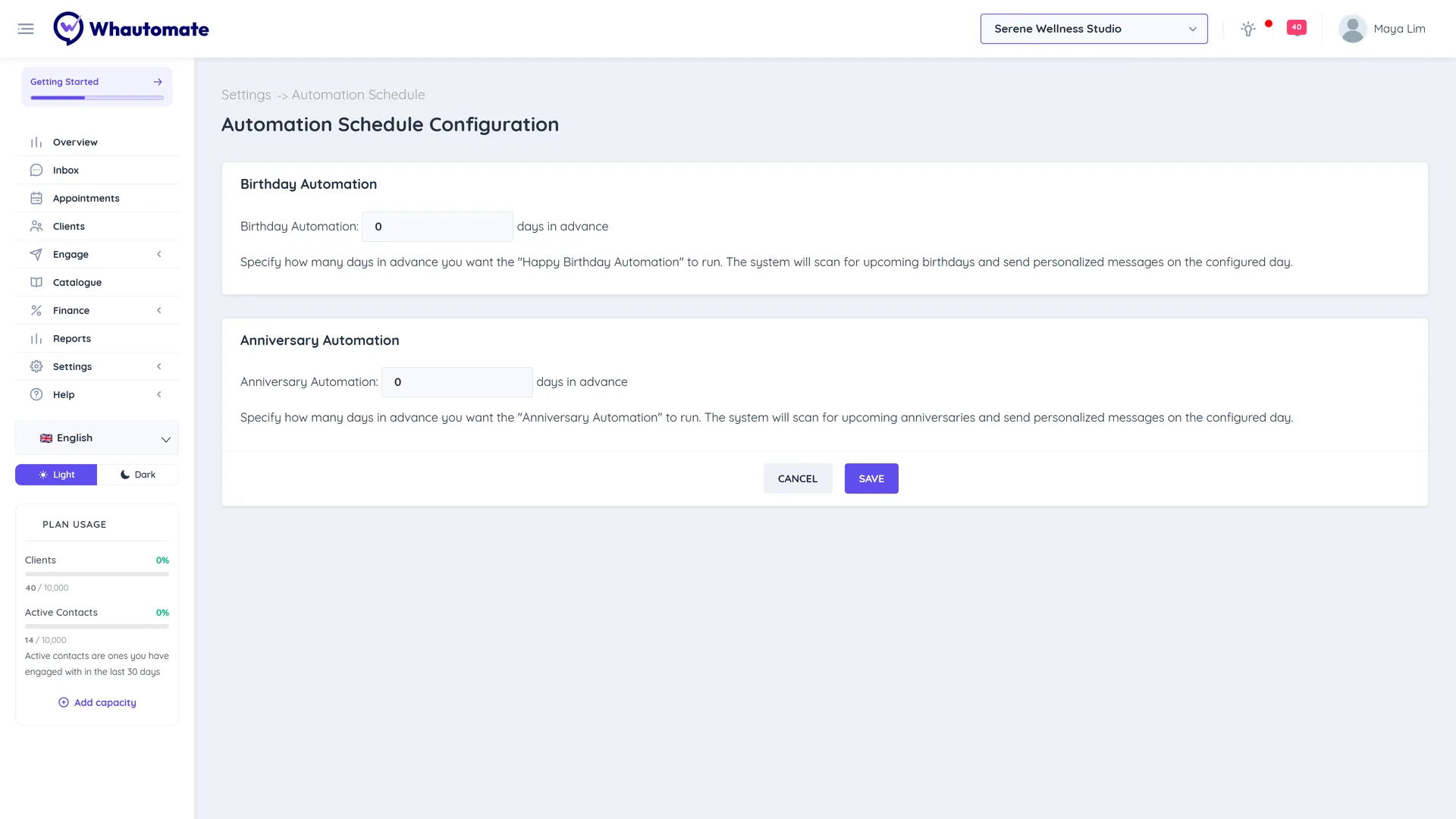
The Happy Birthday Automation and Client Anniversary Automation triggers check your client list once a day. Automation Schedule Configuration sets how many days ahead they look, so you can send wishes on the day, or a few days early with a special offer.
How the timing works
With the default setting of 0 days in advance, each daily check picks clients whose birthday or anniversary is tomorrow. That is why the birthday templates wait 1 day before sending: the message arrives on the day itself.
If you enter 3 days in advance, the daily check picks clients whose birthday is 4 days away. Add a wait time to your actions to decide exactly when the message goes out.
Change the schedule
- Go to Settings and, under Schedule, open Automation Schedule Configuration.
- Under Birthday Automation, enter the number of days in advance.
- Under Anniversary Automation, enter the number of days in advance.
- Click Save. You see Automation Schedule Configuration saved successfully!
Only account owners and administrators can open this page.
Example
You want clients to get a birthday voucher 3 days before their birthday, so they have time to book:
- Set Birthday Automation to 3 days in advance. The daily check now picks birthdays 4 days away.
- In your Happy Birthday Automation rule, keep the Send a WhatsApp Template Message action with a wait time of 1 day(s). The voucher arrives 3 days before the birthday.
Optionally set a Schedule Time (Optional) on the action so the message arrives at a friendly time of day.